Address
304 North Cardinal St.
Dorchester Center, MA 02124
Work Hours
Monday to Friday: 7AM - 7PM
Weekend: 10AM - 5PM

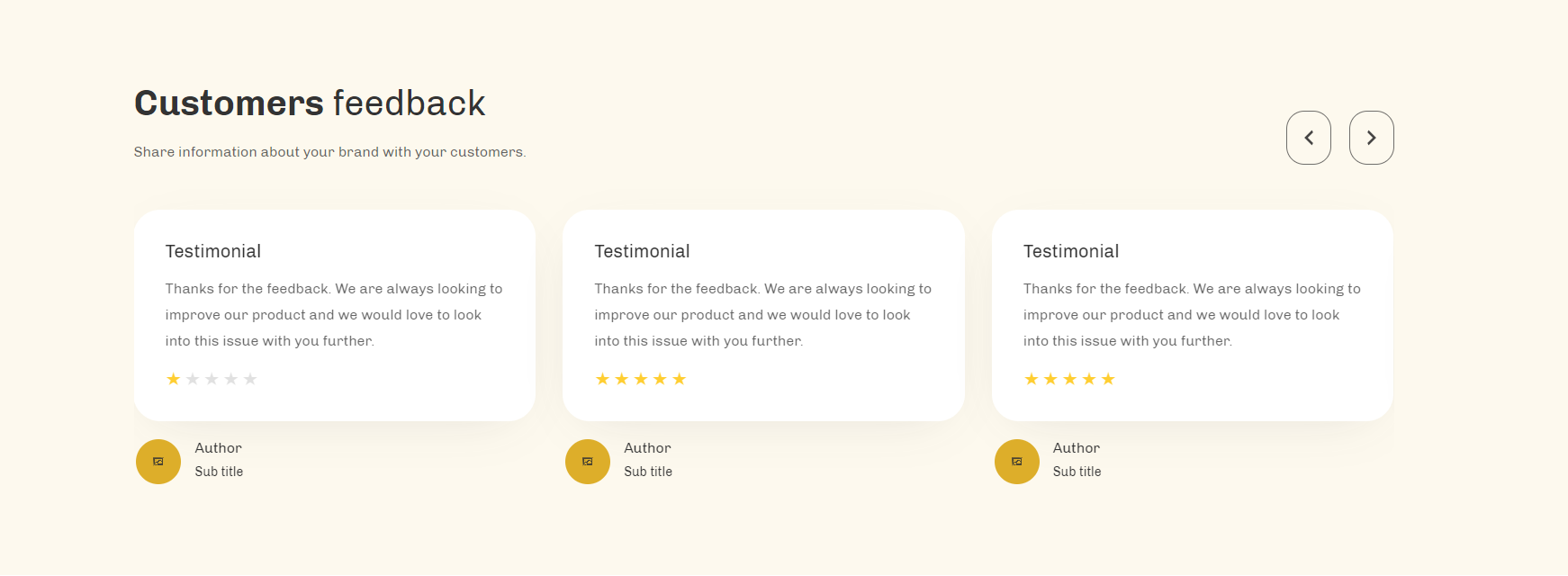
| Settings | Settings |
| Color scheme | You can change the color of the section. |
| Heading | RichText: You can add a section title using the RichText editor. Learn more about this |
| Heading size | Large: This is the large text size of the section heading. Desktop size: 50px, Mobile Size: 30px Medium (Default): This is the medium text size of the section heading. Desktop size: 40px, Mobile Size: 28px Small: This is the medium text size of the section heading. Desktop size: 32px, Mobile Size: 25px |
| Subheading | This is the section subtitle. |
| Heading alignment | Left: Aligns the content to the left. Right: Aligns the content to the right. Center: Aligns the content to the center. |
| Settings | Settings |
| Color scheme | You can change the color of the testimonial card. |
| Rating color | You can change the color of the ratting(star icons) color |
| Settings | Description |
| Auto-rotate slides | A slide show can be set to play automatically. |
| Change slides every | Determine how frequently to update slides. Minimum 1s and maximum 10s |
| Show navigation | You can hide/show slider navigation next/prev arrow button. You can go to the next/prev slide by clicking the next/prev buttons. |
| Hover background color | This is the navigation button hover background color. |
| Hover text color | This is the navigation button text hover color. |
| Settings | Description |
| Desktop: Padding top | The section’s top inner space height is determined. From 0 to 150 px, will be incremented by 5px. It will affect the desktop. |
| Desktop: Padding bottom | The section’s bottom inner space height is determined. From 0 to 150 px, will be incremented by 5px. It will affect the desktop. |
| Mobile: Padding top | The section’s top inner space height is determined. From 0 to 150 px, will be incremented by 5px. It will affect the mobile. |
| Mobile: Padding bottom | The section’s bottom inner space height is determined. From 0 to 150 px, will be incremented by 5px. It will affect the desktop. |
| Settings | Description |
| Heading | This is the heading for the testimonial card |
| Text | This is the text for the testimonial description. |
| Icon | You can add ratting for the specific testimonial card. – None (you select it, the icon will be hidden) – 1 star – 2 stars – 3 stars – 4 stars – 5 stars You can display ratting number following the options. |
| Author image | This is the author’s image for the testimonial card. |
| Show author image | You can show/hide the author’s image |
| Author heading | This is the heading for the author’s name. |
| Author subheading | This is a subheading for the author’s designation. |