Address
304 North Cardinal St.
Dorchester Center, MA 02124
Work Hours
Monday to Friday: 7AM - 7PM
Weekend: 10AM - 5PM

If you want to translate in your Theme language. You need to follow the instructions
(1) You need to add the German language from settings > language sections.

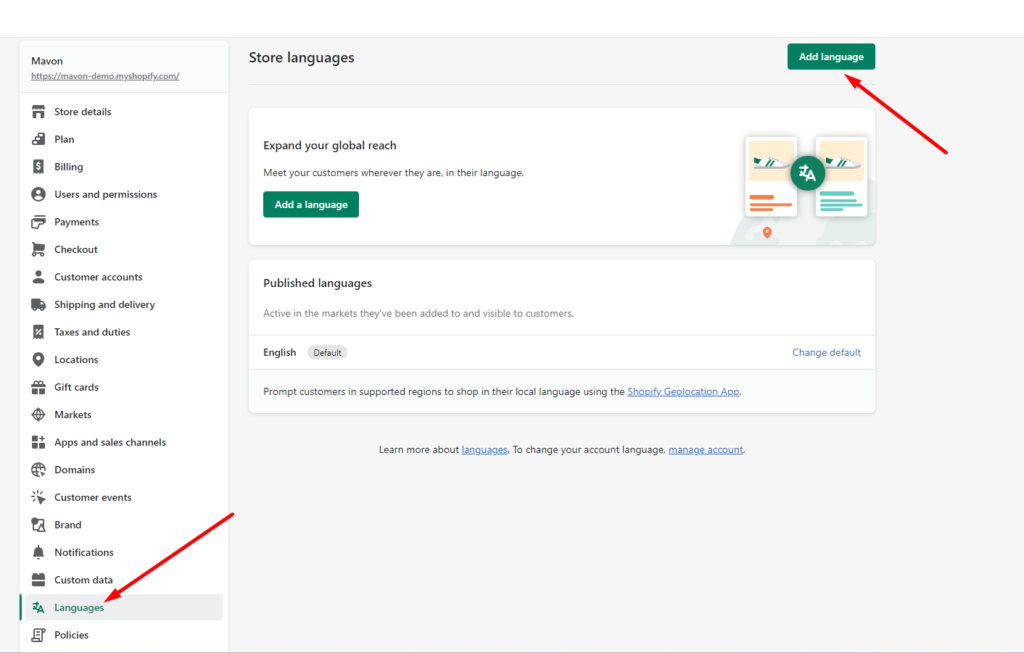
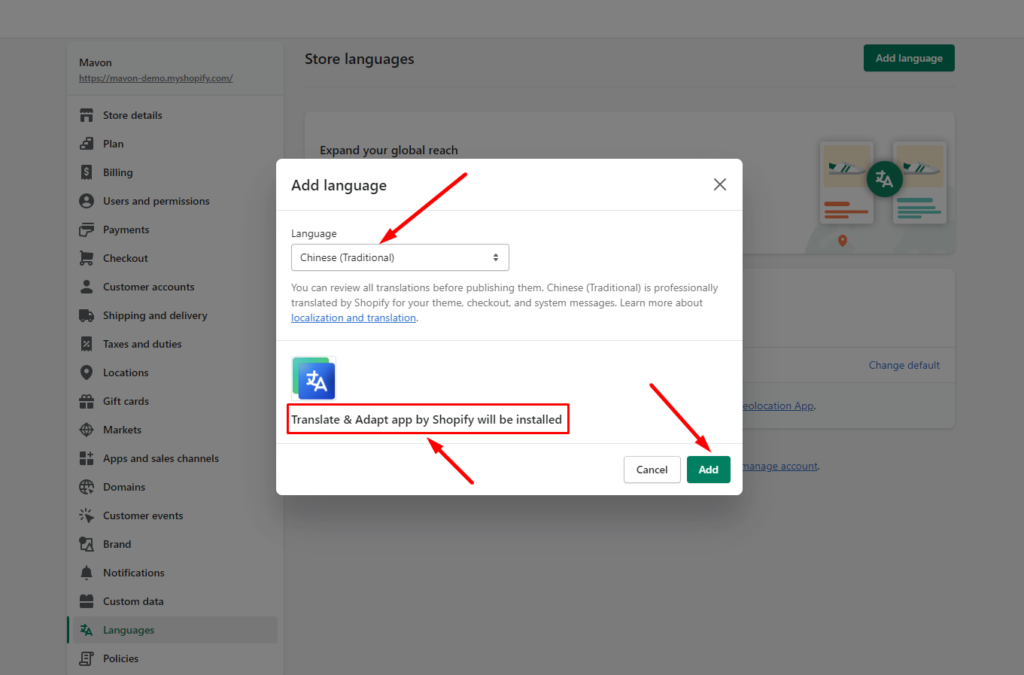
(2) Install Shopify (Translate & Adapt) APP
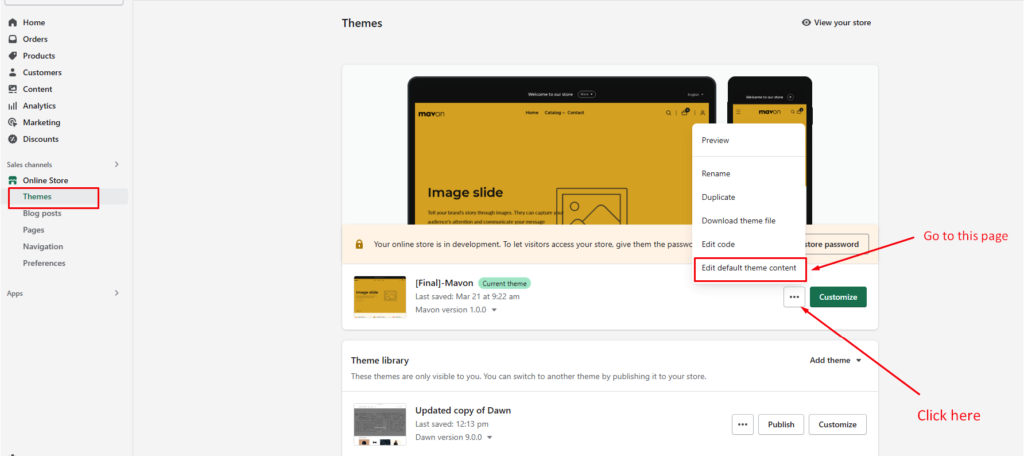
(3) Go to the “Edit default theme content” from admin > theme > and See the image instructions
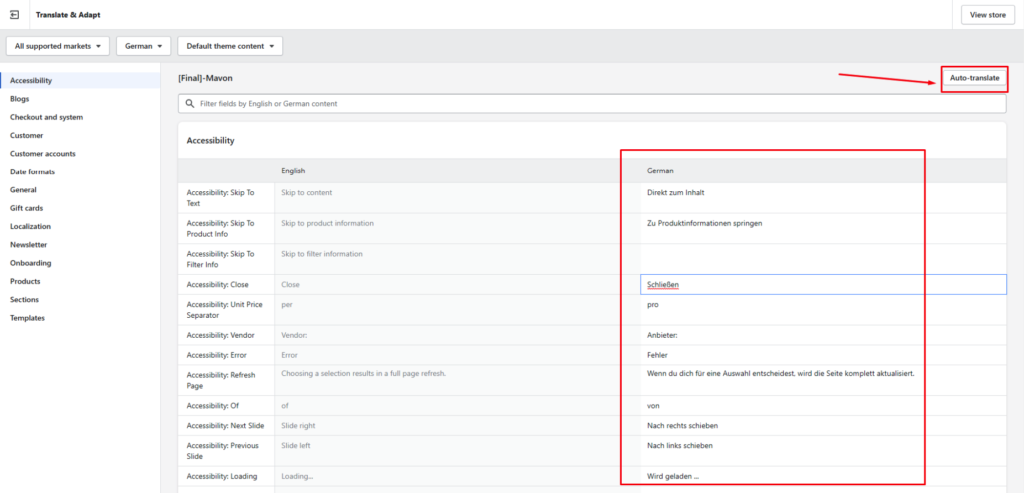
(4) Go to the localize page

(5) You need to select your language from here

(6) You can auto-translate or manually translate from this page
See the video tutorial to complete the steps