Address
304 North Cardinal St.
Dorchester Center, MA 02124
Work Hours
Monday to Friday: 7AM - 7PM
Weekend: 10AM - 5PM

Step 1: Select variant picker from the product page
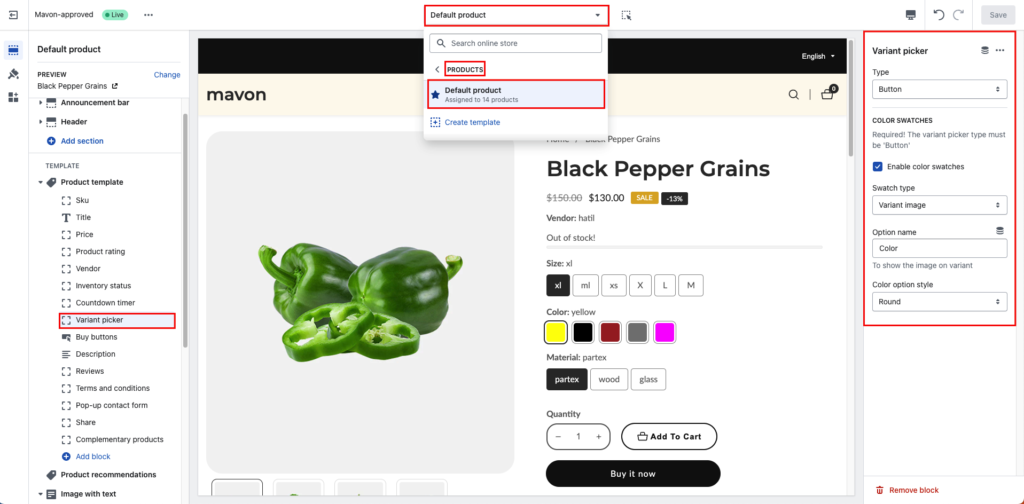
Step 2: Select variant picker type
you can choose any of them but if you want COLOR SWATCHES then The variant picker type must be ‘Button’
Dropdown:
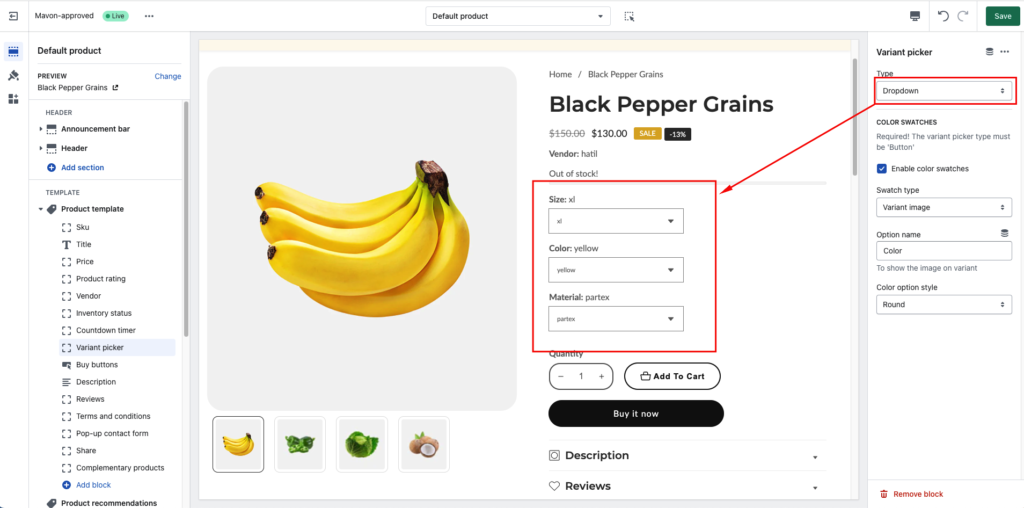
Button:

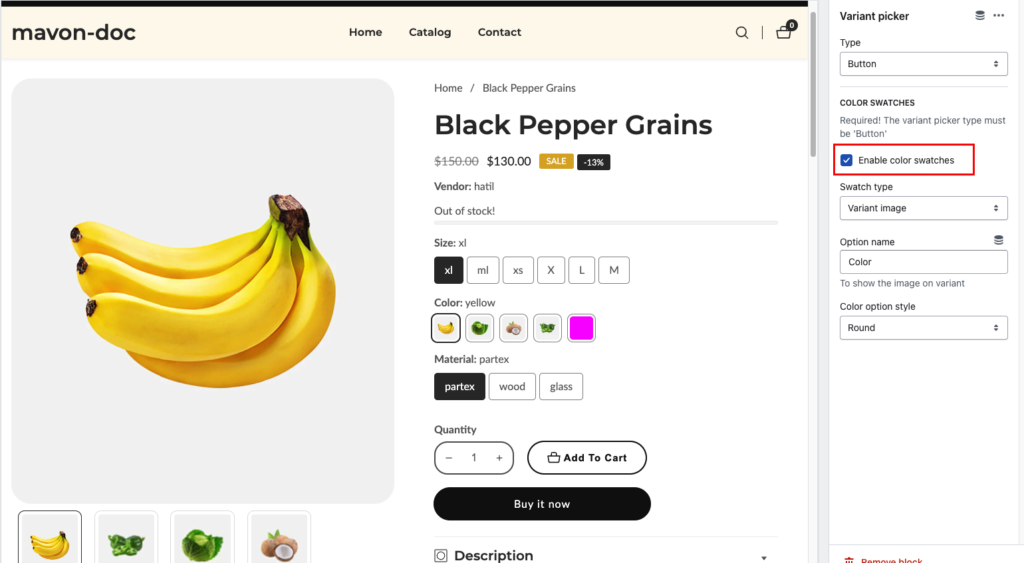
Step 3: Enable and disable color swatches
Step 4: Select Swatch type
you can choose any of them. check the below screenshot how looks like it
Variant image:
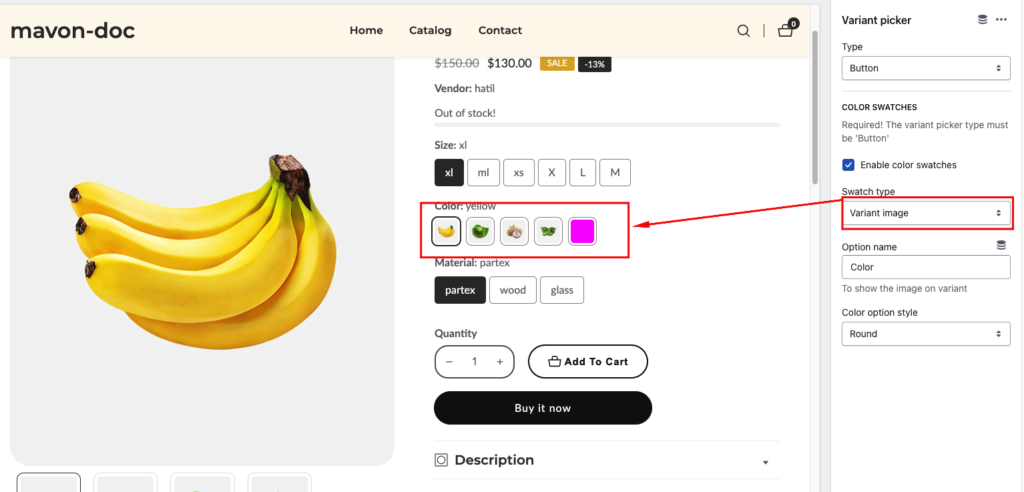
Color Swatch:

Step 5: Show the image on variant
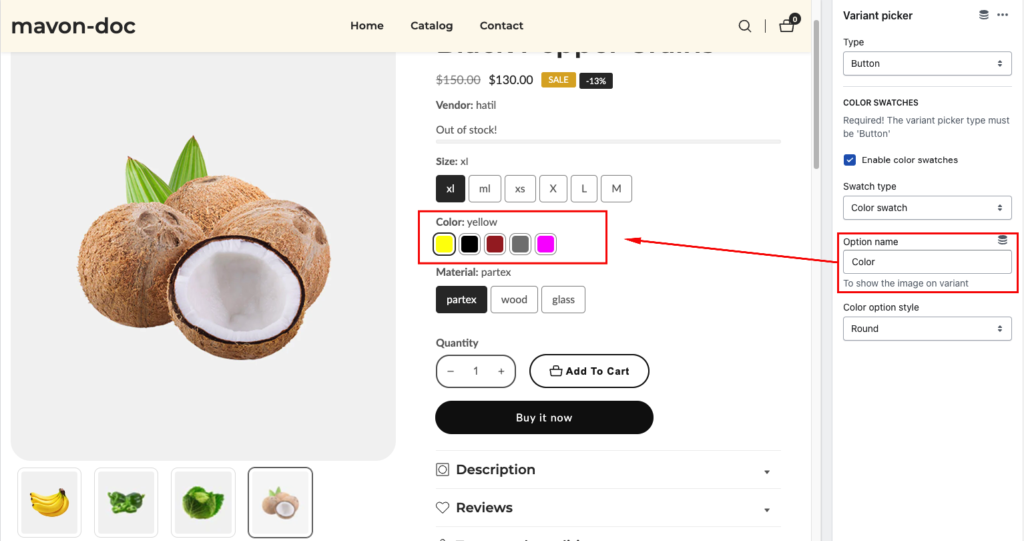
Step 6: Color option style

Color swatches General settings Settings Description Color swatch activation Your variant option name Must be…
Read moreStep 1: Select Pop-up size guide from the product page Step 2: Customize pop-up size…
Read moreTo add a custom badge to your product using a metafield, please follow these detailed…
Read morePlease follow the instructions below to enable the Product Short Description If you want to display a brief description of your product, you must enable the description block. Go to product…
Read moreMavon supports displaying custom colors to a specific product variant. see here how you can add…
Read more