Navigate to Admin > Online Store > Themes in your dashboard.
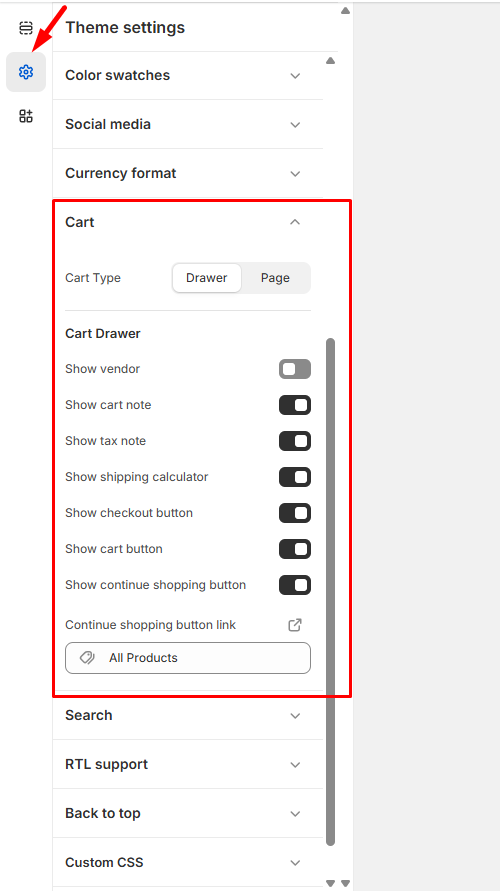
Find the theme you want to modify and click Customize, then select Theme Settings > Cart.
Cart Display Style – Use the dropdown menu to choose between:
Drawer – Cart slides out from the side
Page – Cart opens on a dedicated page
Cart Information – Enable the features you want to display:
Show vendor – Display product suppliers or brands
Show cart note – Allow customers to add special instructions
Show tax note – Allow customers to add special instructions
Show shipping calculator – Let customers estimate shipping costs
Show checkout button – Include the main checkout action button
Show continue shopping button – Provide an option to return to browsing
Continue Shopping Link – In the Continue shopping button link field, add the URL where customers should return (such as your collections page or homepage).
Click Save to apply your cart configuration.
These settings will streamline your checkout process and provide customers with the information and options they need to complete their purchase confidently.