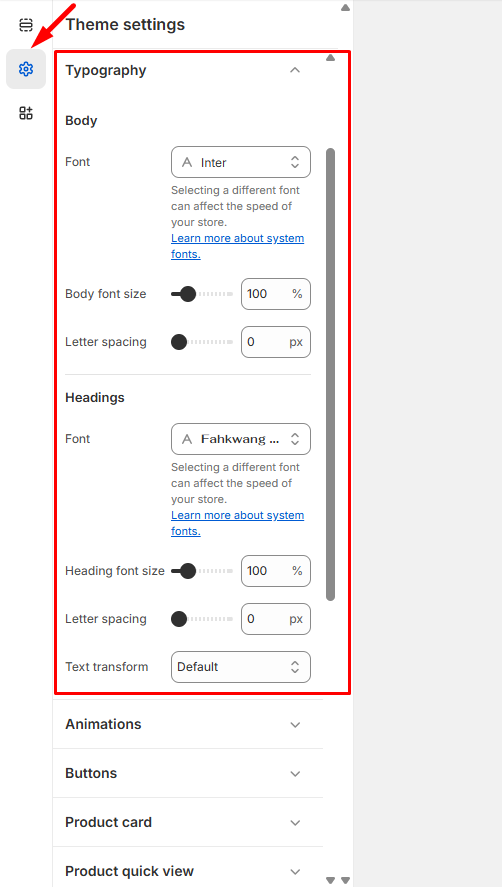
Typography

  1. Navigate to Admin > Online Store > Themes from your dashboard.
  2. Locate your desired theme and click Customize, then select Theme Settings > Typography.
  3. For each text element you’d like to modify, click Change to open the font selection tool.
  4. Browse through the available options and click Select next to your preferred font.
  5. Don’t forget to Save your changes when you’re finished.

Your typography updates will be applied instantly across your store, giving your site a fresh new look that reflects your brand’s personality.
Last updated on November 23, 2025

Was this article helpful?

PREVIOUS

Product Cards

NEXT

Social media

Powered by Support Genix
