Address
304 North Cardinal St.
Dorchester Center, MA 02124
Work Hours
Monday to Friday: 7AM - 7PM
Weekend: 10AM - 5PM

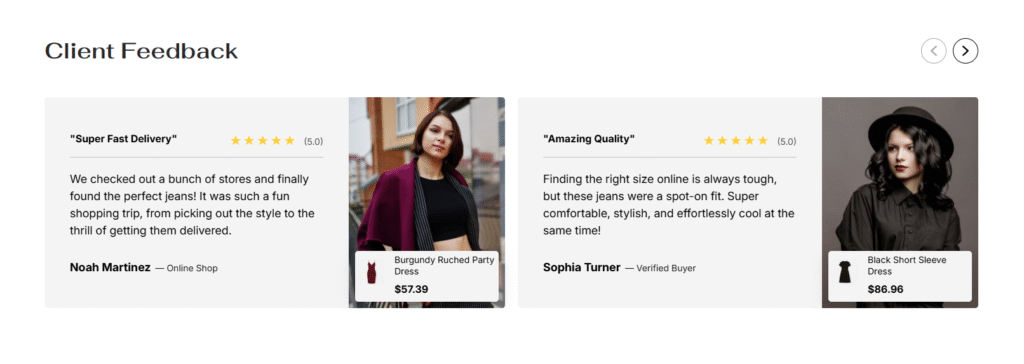
| Settings | Description |
|---|---|
| Section width | Enable full-width section on desktop |
| Layout | Card with image Card without image Card centered without image |
| Heading | Large text for the title of the section. |
| Heading size | The size of the heading text: -Extra small -Small -Medium -Large -Extra large |
| Subheading | This is the section subtitle. |
| Desktop heading alignment | Left: Aligns the content to the left. Right: Aligns the content to the right. Center: Aligns the content to the center. |
| Mobile heading alignment | Left: Aligns the content to the left. Right: Aligns the content to the right. Center: Aligns the content to the center. |
| Grid settings | Number of columns on desktop Number of columns on mobile |
| Card settings | Card color scheme – Select color theme (e.g., “Scheme 2”) Round corners – Enable/disable rounded card edges Show product – Toggle product visibility on cards Card content alignment – Choose text alignment (Left/Center/Right) Rating stars color – Customize star rating color ( #FFCE31 shown) |
| Slider settings | |
| Auto-rotate slides | Enable/disable automatic slide advancement |
| Change slides every | Set rotation timing (adjustable slider, shown as 3 seconds) |
| Show navigation | Toggle navigation arrows/controls visibility |
| Navigation Position: | Top – Navigation controls at top of slider Middle – Navigation controls at middle/center of slider |
| Navigation Style: | Solid – Filled navigation buttons Outline – Outlined navigation buttons |
| Navigation Colors: | Choose color scheme (e.g., “Scheme 3” shown) |
| Color Customization | Color scheme – Select overall color theme (e.g., “Scheme 1” shown) |
| Settings | Description |
| Desktop: Padding top | The section’s top inner space height is determined. From 0 to 150 px, will be incremented by 5px. It will affect the desktop. |
| Desktop: Padding bottom | The section’s bottom inner space height is determined. From 0 to 150 px, will be incremented by 5px. It will affect the desktop. |
| Mobile: Padding top | The section’s top inner space height is determined. From 0 to 150 px, will be incremented by 5px. It will affect the mobile. |
| Mobile: Padding bottom | The section’s bottom inner space height is determined. From 0 to 150 px, will be incremented by 5px. It will affect the desktop. |
| Settings | Description |
| Titile | This is the title for the testimonial card |
| Text | This is the text for the testimonial description. |
| Star rating | You can add ratting for the specific testimonial card. – None (you select it, the icon will be hidden) – 1 star – 2 stars – 3 stars – 4 stars – 5 stars You can display ratting number following the options. |
| Author image | Upload customer photo for authenticity |
| Author name | Enter customer name (e.g., “Noah Martinez”) |
| Author title/location | Add context like “Online Shop” or location |
| Select product | Link testimonial to specific product (e.g., “Burgundy Rug…”) |