Navigate to Admin > Online Store > Themes from your Shopify dashboard.
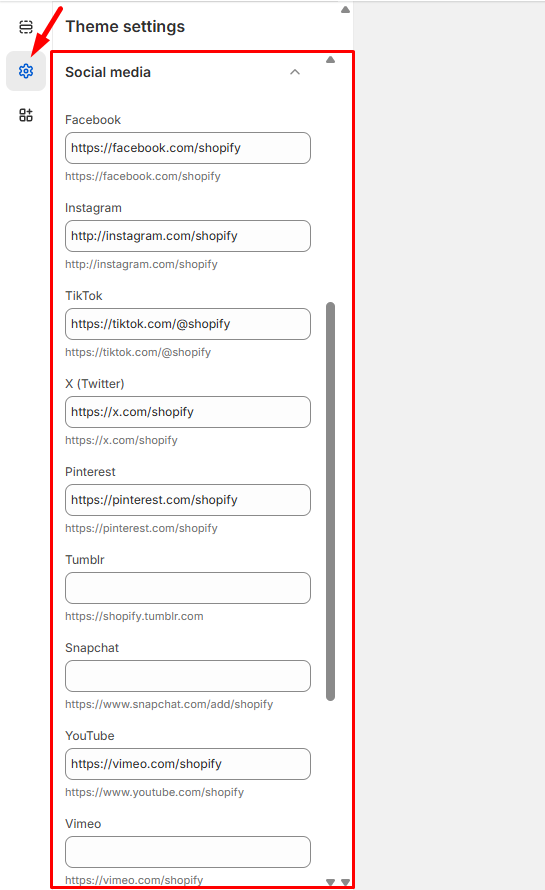
Find the theme you want to update and click Customize, then go to Theme Settings > Social Media.
Connect Your Social Accounts – In the Accounts section, enter the complete URLs for your social media profiles:
Add links to platforms like Facebook, Instagram, Twitter, TikTok, YouTube, and others
Use full URLs (e.g., https://www.instagram.com/yourbrand)
Leave any fields blank for platforms you don’t use
Click Save to activate your social media links.
Your social media icons will now appear on your store (typically in the footer or header), making it easy for customers to connect with your brand across different platforms and helping you build a stronger online community.
Tip: Make sure your social media profiles are active and reflect your brand consistently before adding them to your store.