Navigate to Admin > Online Store > Themes in your dashboard.
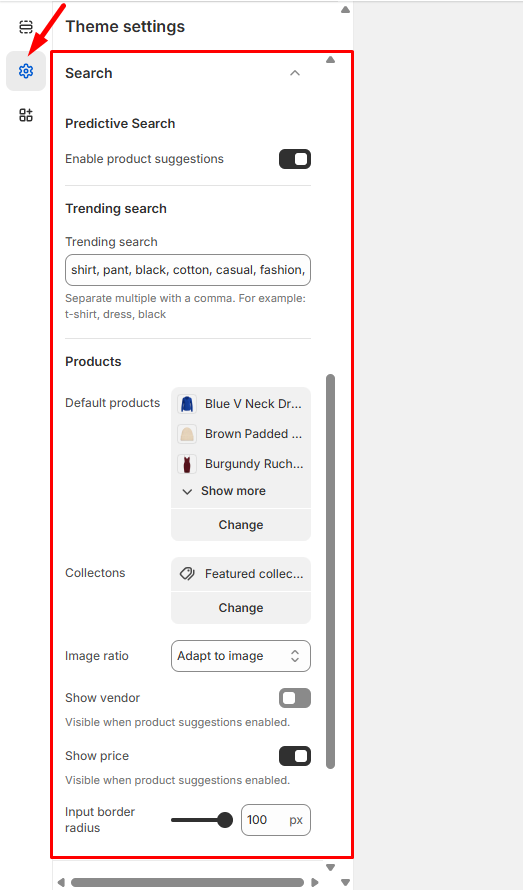
Find the theme you want to update and click Customize, then go to Theme Settings > Search.
Search Features – Enable the options that will enhance your customers’ search experience:
Enable product suggestions – Show relevant product recommendations as customers type
Show vendor – Display brand or supplier names in search results
Show product price – Include pricing information in search results
Click Save to activate your search settings.
These enhancements will make it easier for customers to find and evaluate products, leading to a more efficient shopping experience and potentially higher conversion rates.