Address
304 North Cardinal St.
Dorchester Center, MA 02124
Work Hours
Monday to Friday: 7AM - 7PM
Weekend: 10AM - 5PM

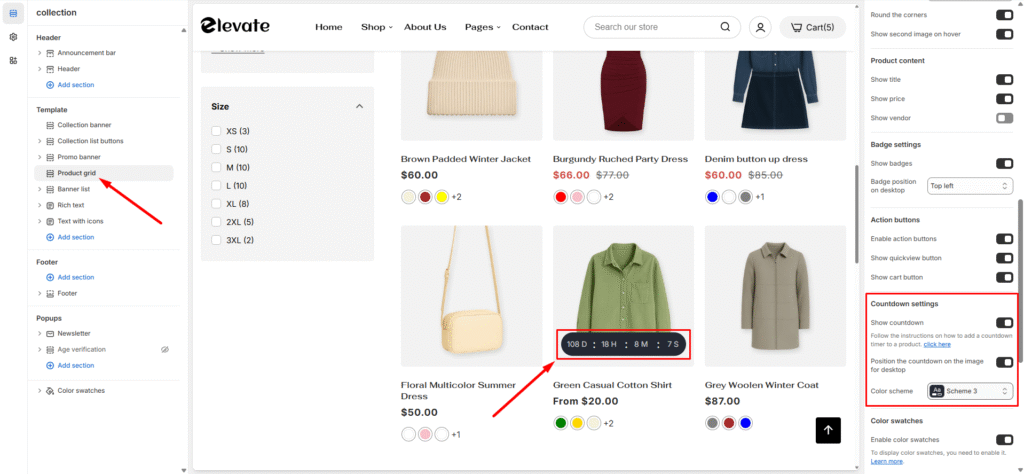
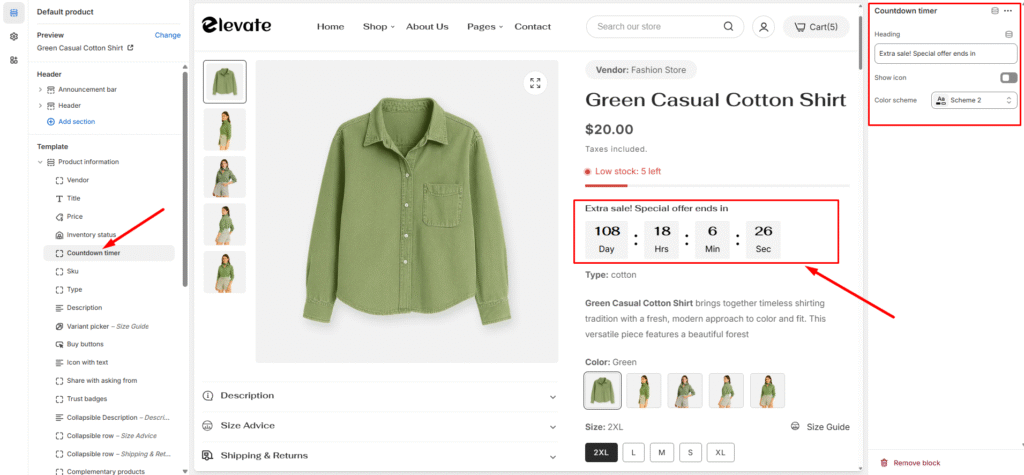
Elevate supports displaying a countdown timer on a product that counts down to the discount expiry date. The timers are a great way to create a sense of urgency for your product discounts and thereby encourage customers to buy before it’s too late.
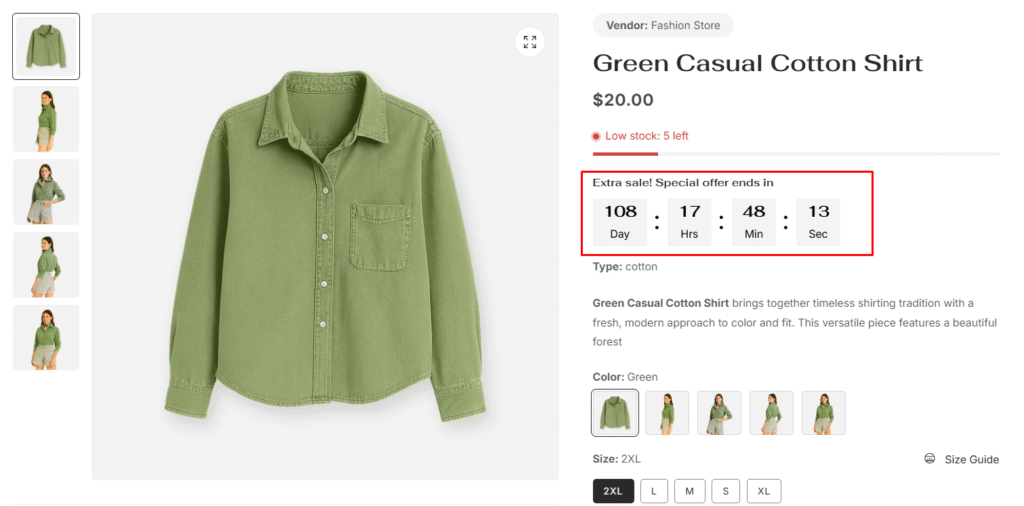
This feature is working based on metafields. So, all you have to do is add a metafield definition, then set the countdown for the products you want.
Before you can add a countdown (metafield value) to specific products, you need to add the necessary metafield definition for this information.
This step only needs to be done once and will affect all products. If you have already done this, please skip it. Since metafields work independently of the theme, this step also doesn’t need to be done again when you update or reinstall the theme.
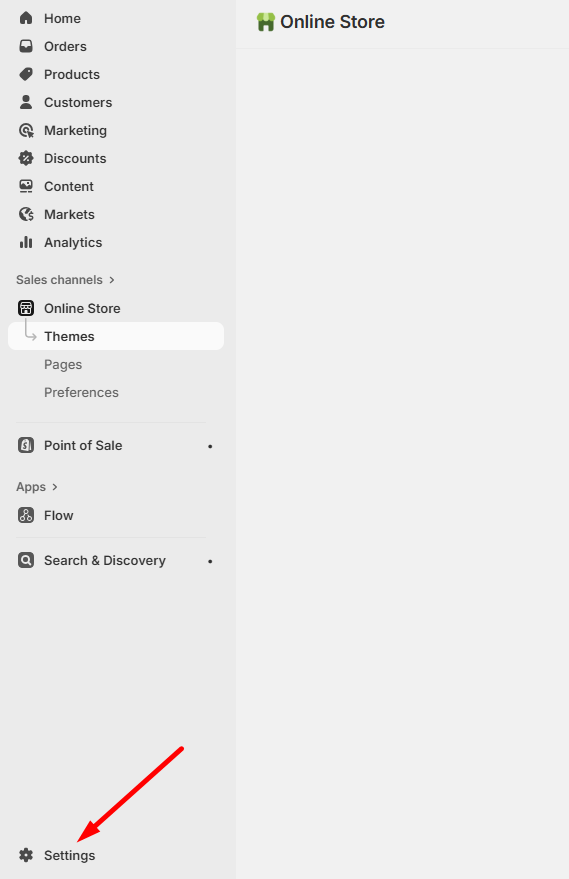
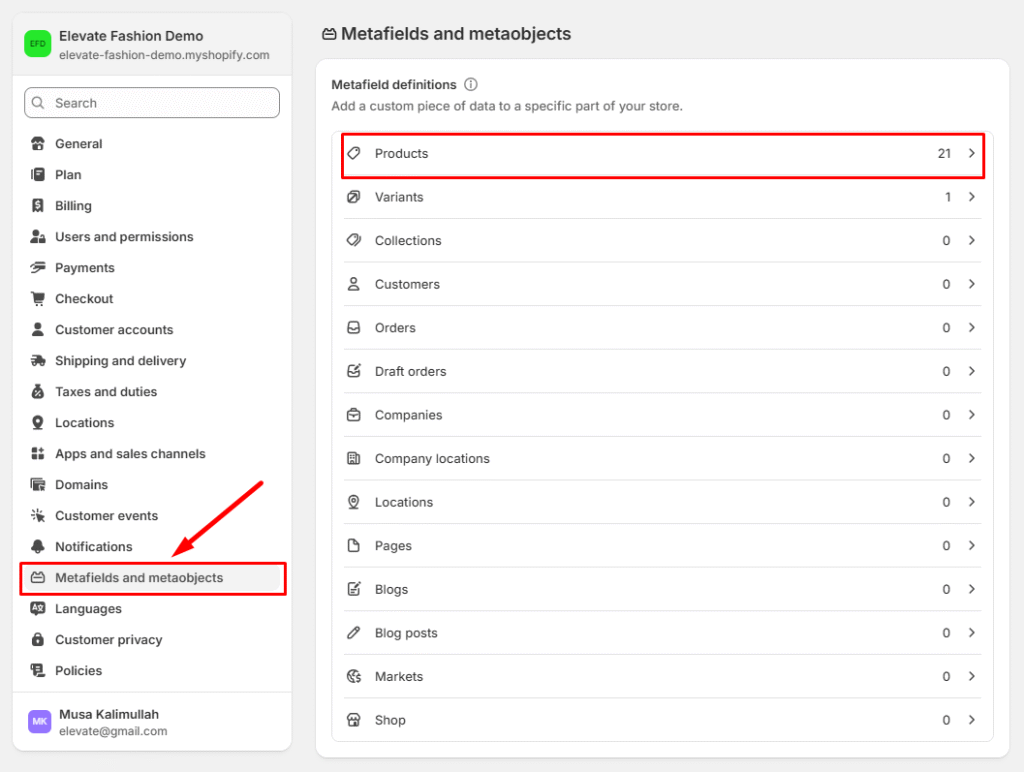
1. From your Shopify admin, go to Settings > Metafields and metaobjects > Products
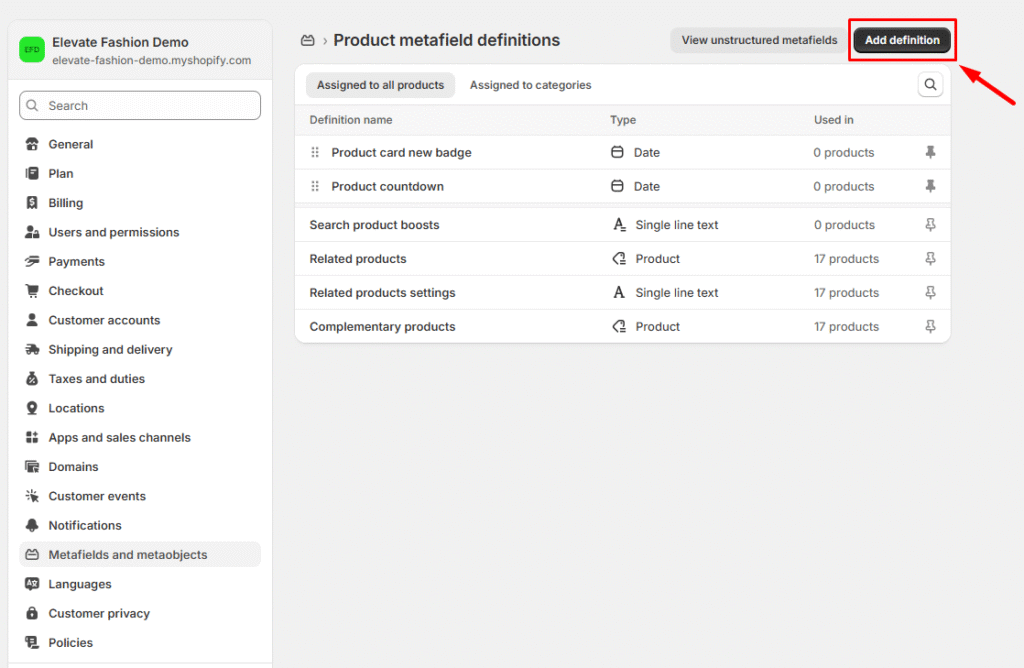
2. Click Add definition
3. In the Name field, enter Product countdown and then click the ‘Product countdown‘ generated as you type from the list. This is the metafied used for storing the expiry date
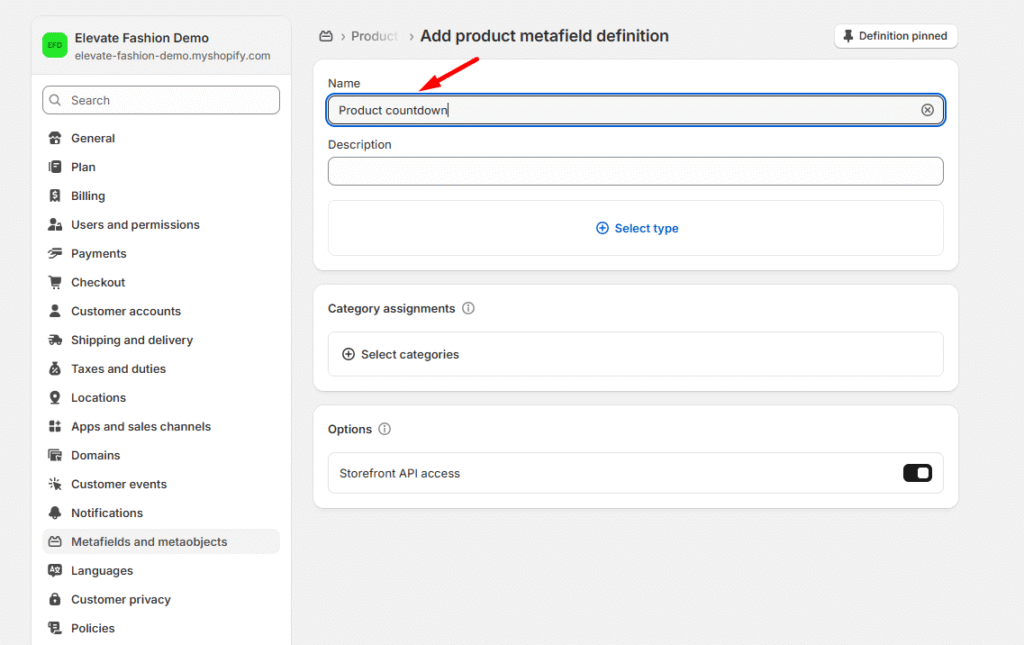
4. In the Namespace and key field, enter meta.product_countdown And select content type, then choose Date
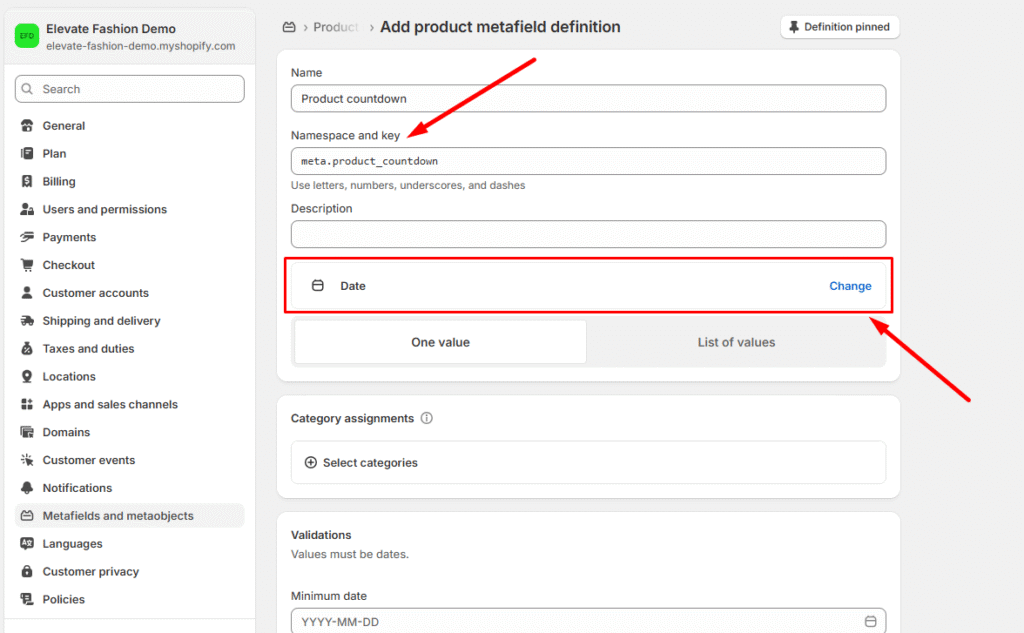
5. Click Save to save the definition.
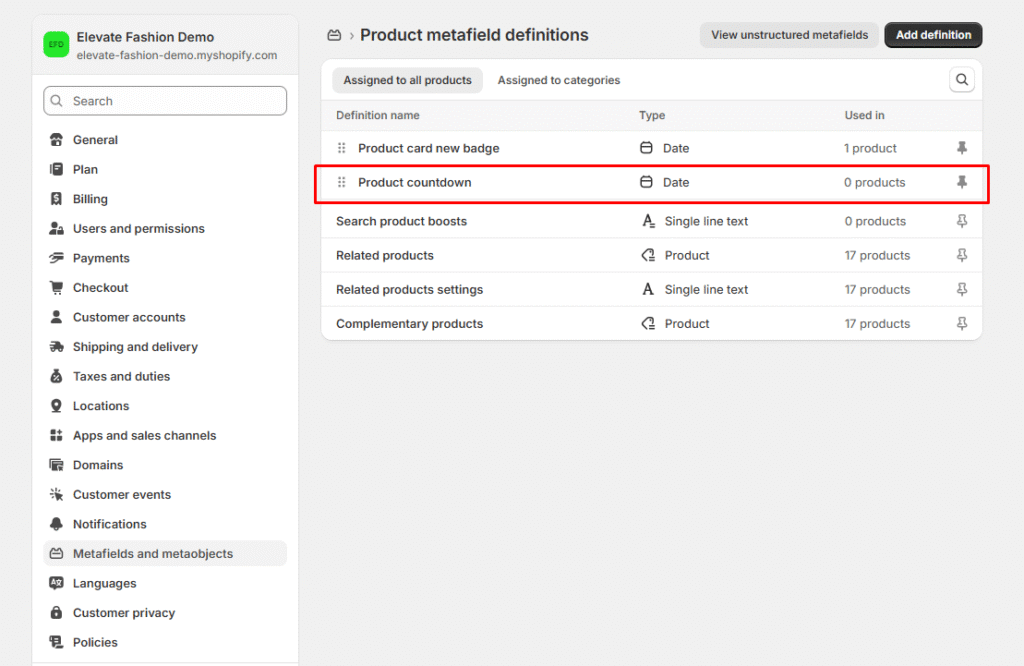
6. You should see the Product countdown in the list of definitions by now.
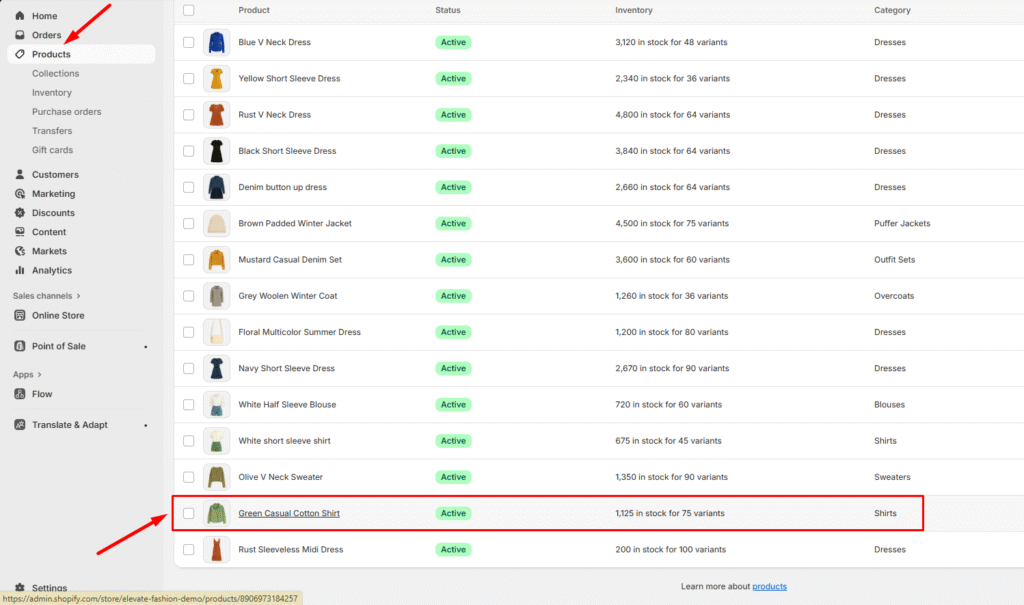
1. In your admin, within Products, click on the product you want to add the countdown
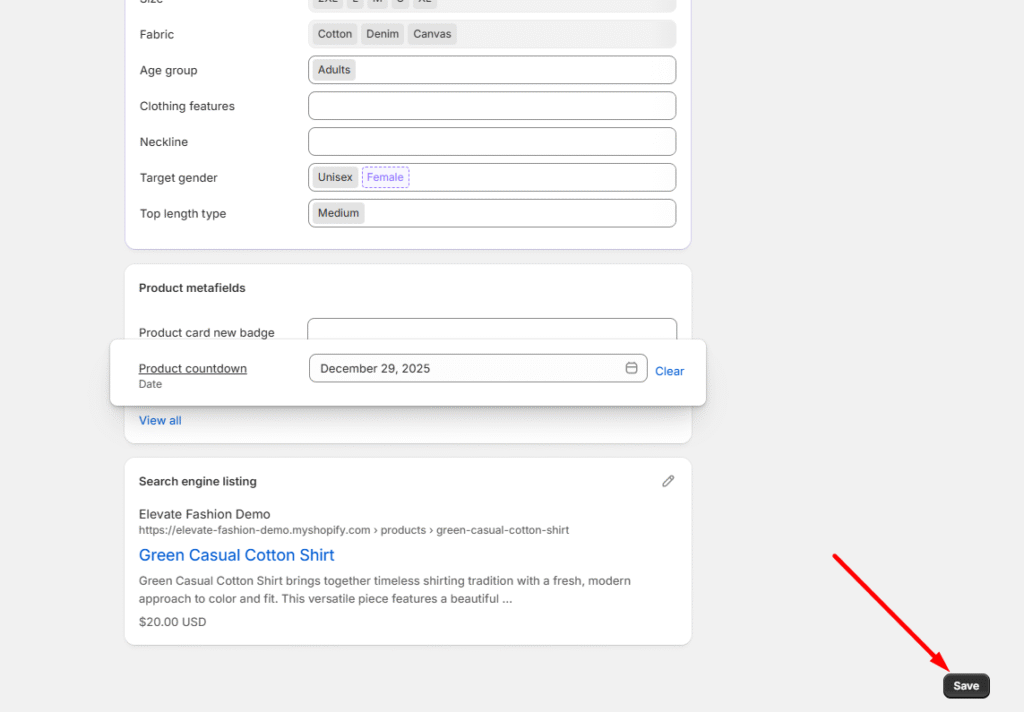
2. Scroll down to the Metafields, to set an expiry time, click on the Product countdown field. And set the date you want
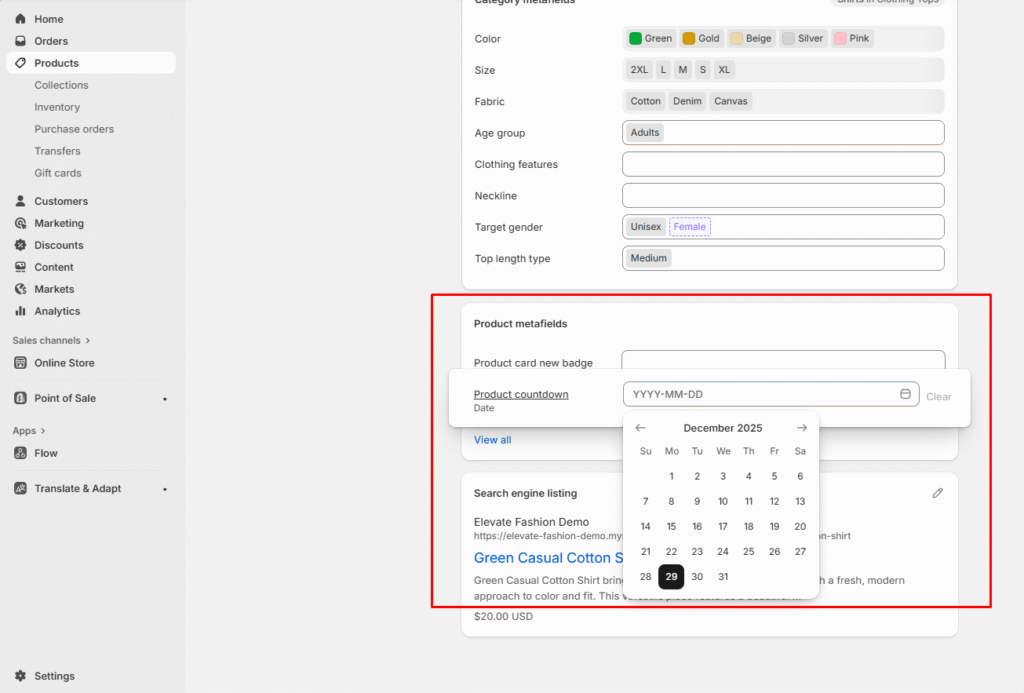
3. Click Save to save your changes