Address
304 North Cardinal St.
Dorchester Center, MA 02124
Work Hours
Monday to Friday: 7AM - 7PM
Weekend: 10AM - 5PM

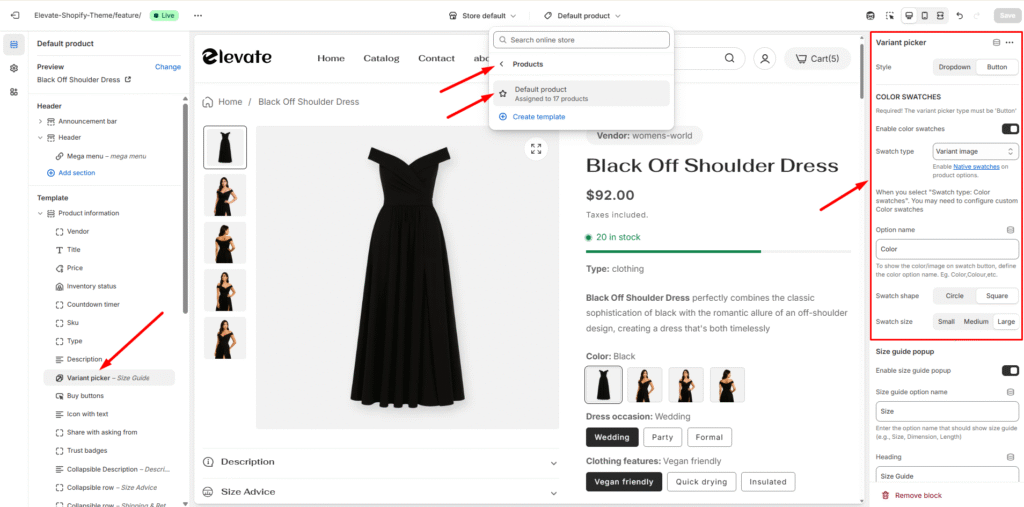
Step 1: Select the Variant Picker
Step 2: Choose Your Variant Picker Type
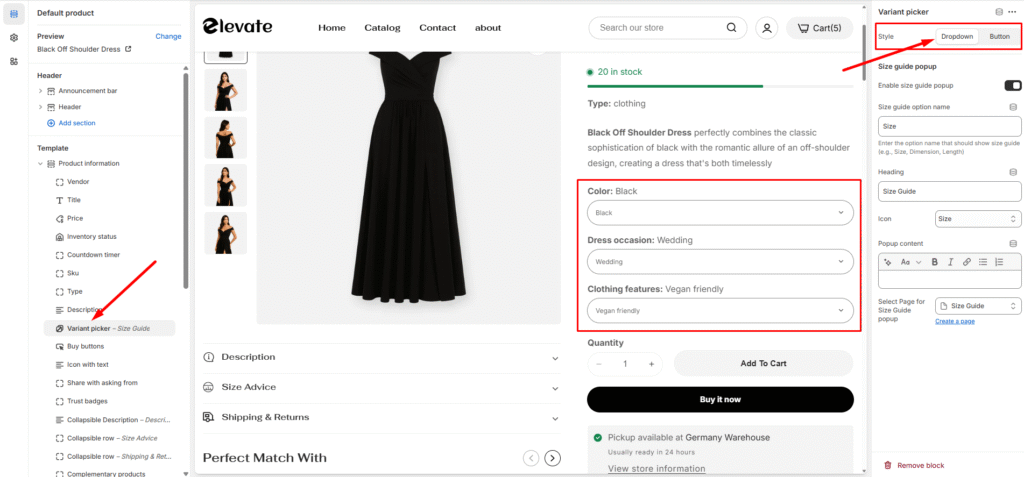
You have two main options for displaying variants:
Dropdown:
Button:
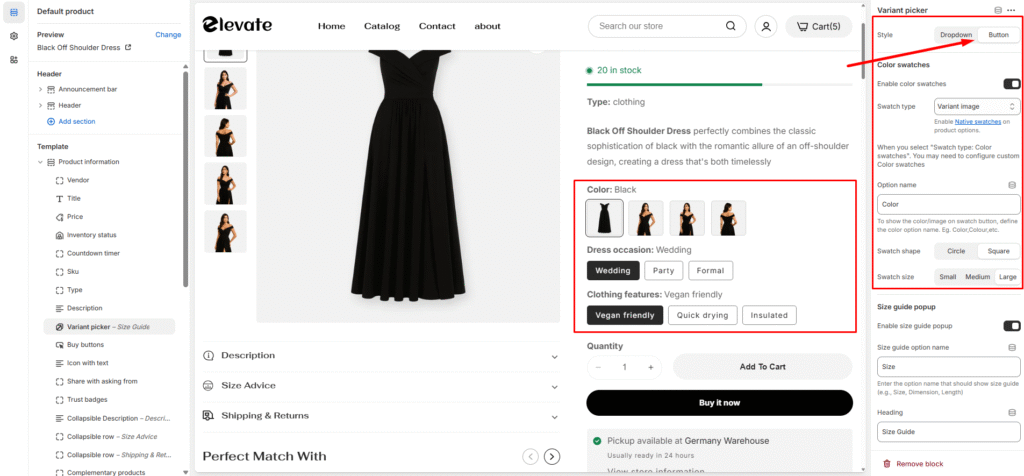
Step 3: Enable Color Swatches
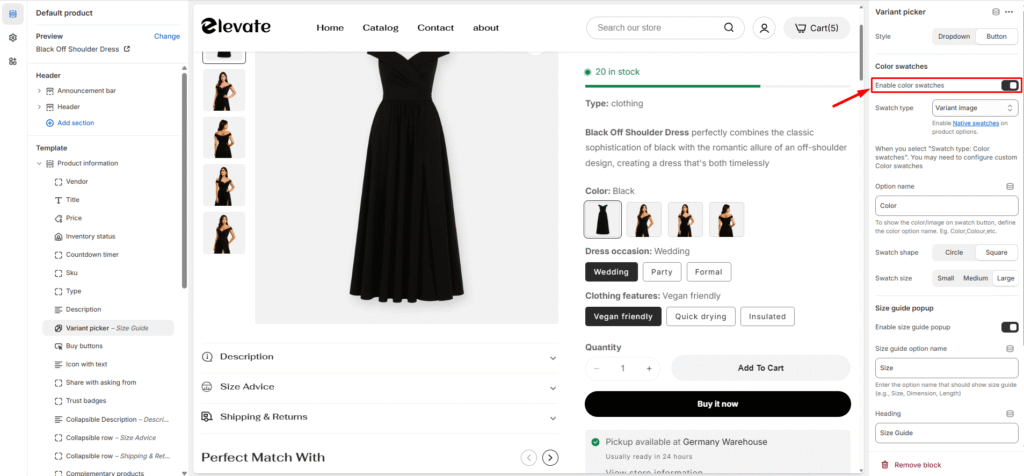
Step 4: Select Your Swatch Type
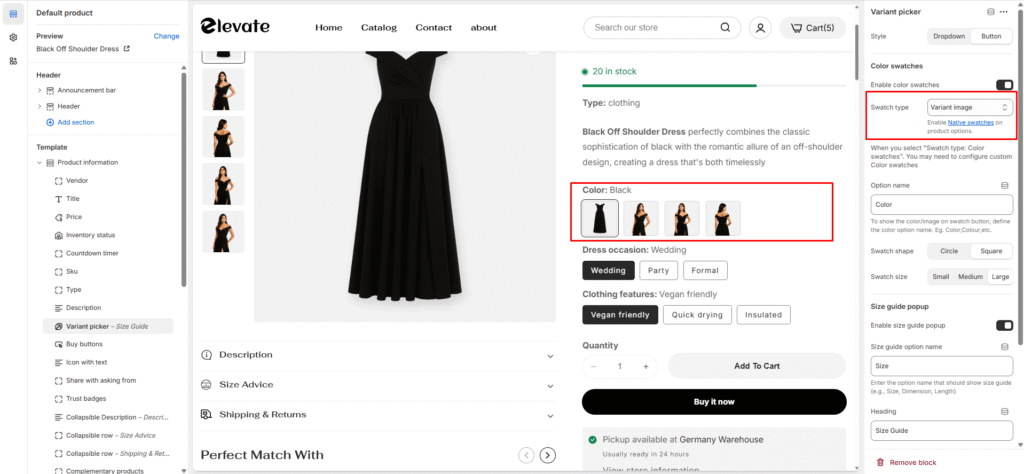
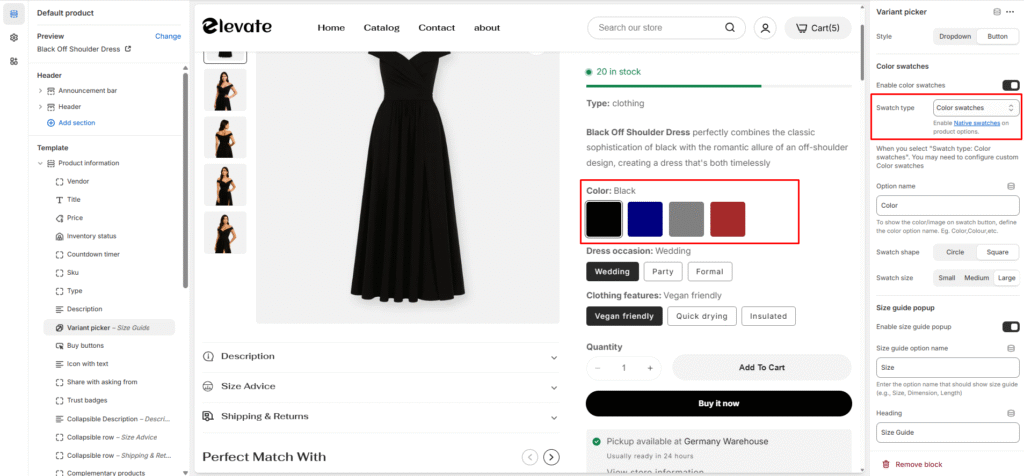
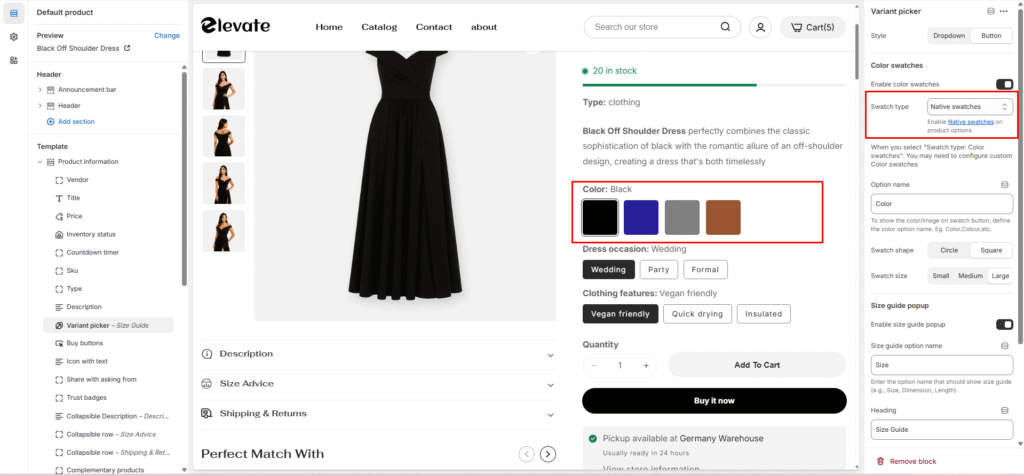
Choose from three different swatch display options:
Variant image:
Color Swatch:
Native swatches:
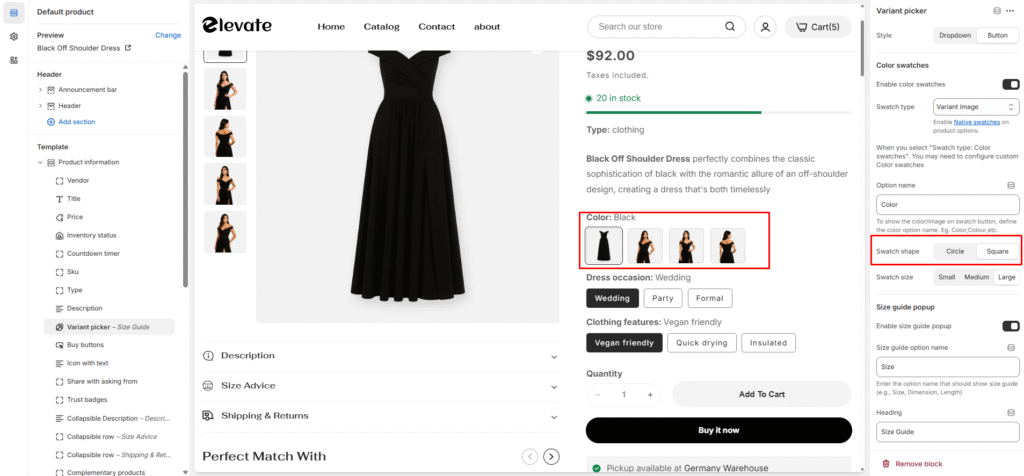
Step 6: Customize Color Option Style
Fine-tune the visual appearance of your color options to match your store’s overall design aesthetic.
This setup creates an intuitive product selection experience that helps customers easily identify and choose their preferred variant options.
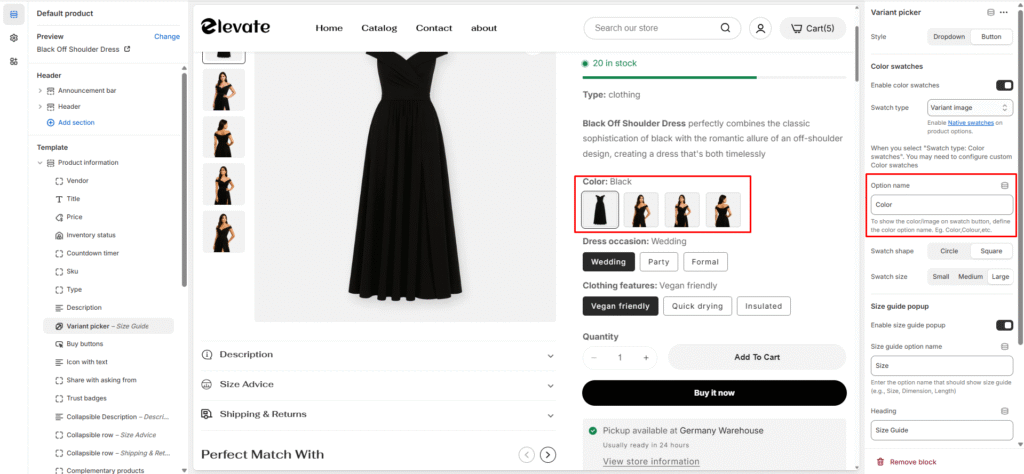
Step 6: Color option style