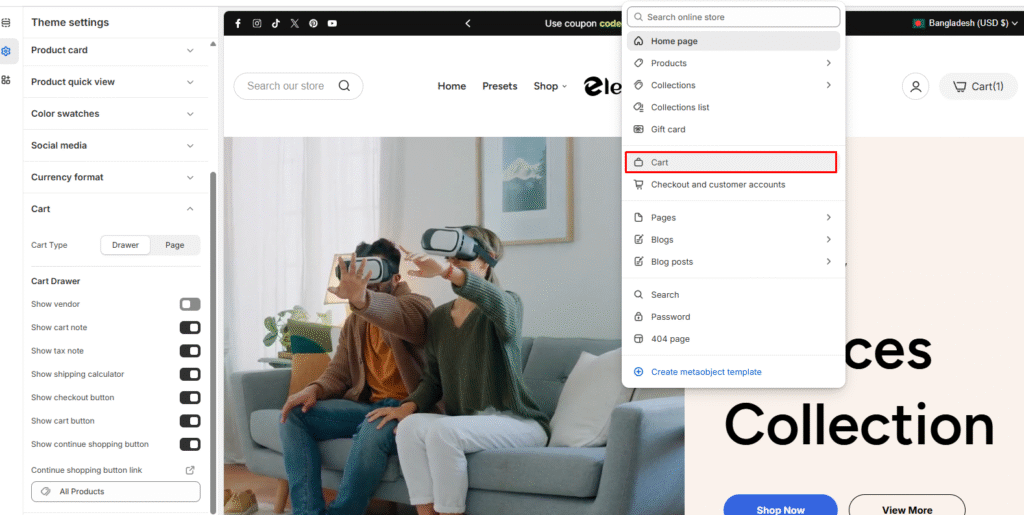
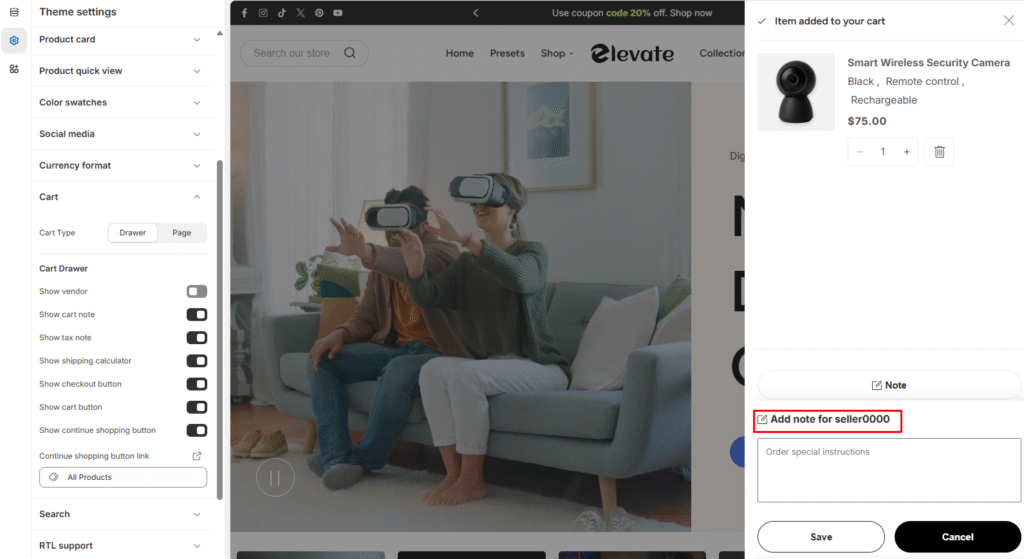
Allow customers to add special instructions or notes to their orders during the shopping process.
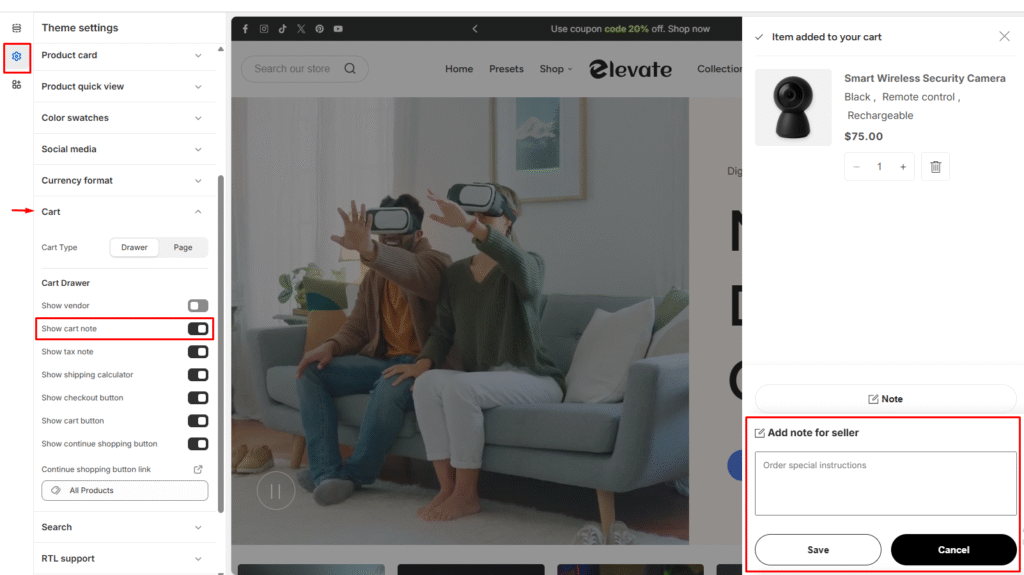
Enable Cart Order Notes
- Go to Shopify Admin > Online Store > Themes
- Click Customize on your theme
- Navigate to Theme Settings > Cart
- Enable “Show Cart Note”
- Click Save
Edit Order Notes Label
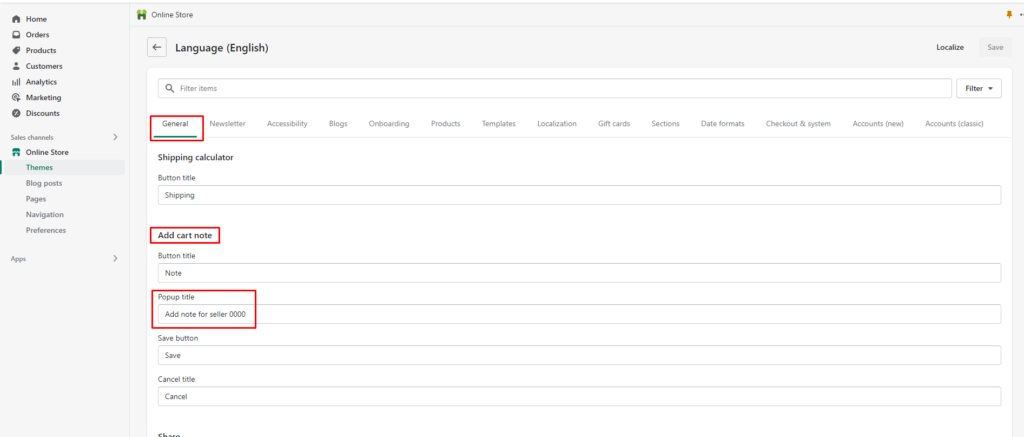
Change the default label text that appears with the order notes field:
- Go to Shopify Admin > Online Store > Themes
- Click Actions > Edit languages
- Navigate to General > Add cart note > Popup title
- Enter your new label text (default: “Add note for seller”)
- Click Save
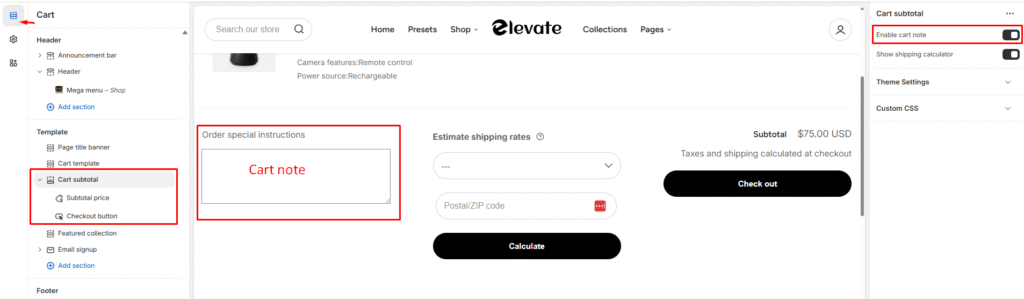
Configure Cart Page Display
Control whether order notes appear on your cart page:
- Go to Online Store > Themes and click Customize
- Use the top navigation to select Cart page template
- In the left menu, click Subtotal section
- Check to show or uncheck to hide “Enable cart note”
- Click Save