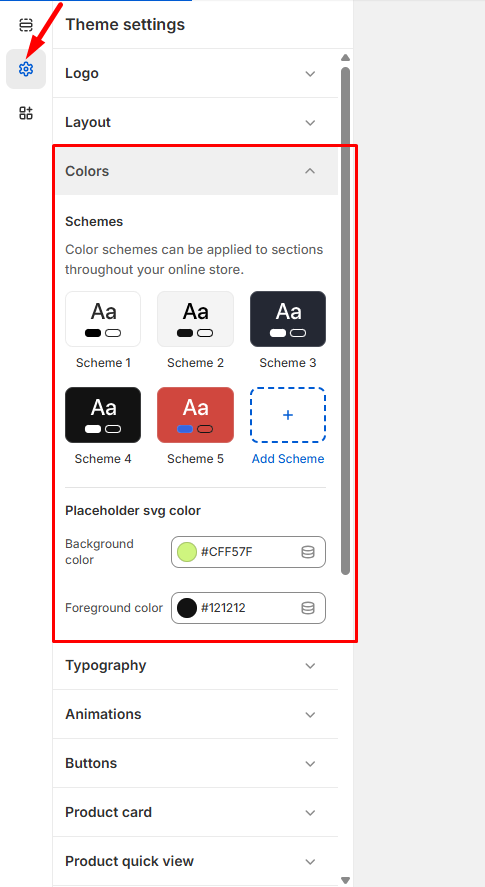
Navigate to Admin > Online Store > Themes from your Shopify dashboard.
Find the theme you want to modify and click Customize, then select Theme Settings > Colors.
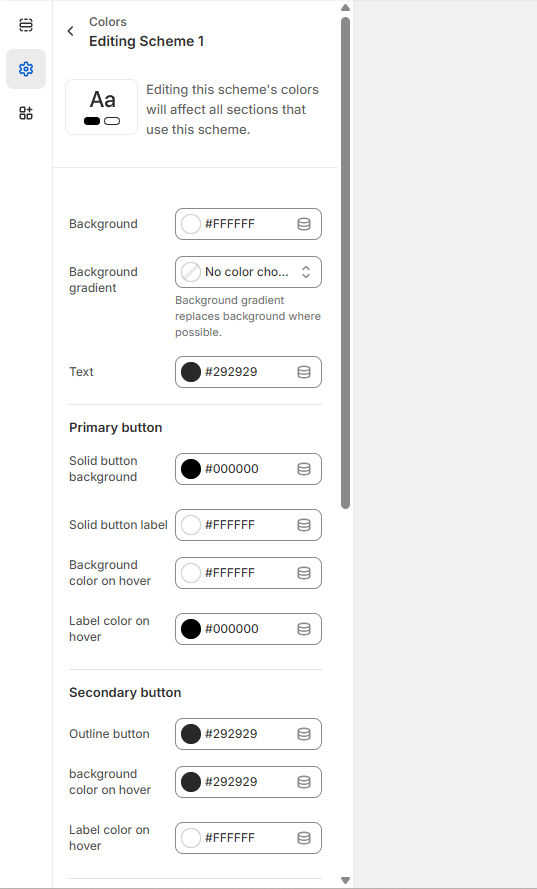
Color Customization – Browse through the available color options for different elements of your store:
Click on any color swatch to open the color picker
Choose from preset colors, enter a hex code, or use the color wheel to find your perfect shade
Preview how each color change affects your store’s appearance in real-time
Click Save to apply all your color changes.
Your new color scheme will be applied across your entire store, helping create a cohesive brand experience that reflects your unique style and personality.
Tip: Consider your brand colors and ensure there’s sufficient contrast between text and background colors for optimal readability.