Address
304 North Cardinal St.
Dorchester Center, MA 02124
Work Hours
Monday to Friday: 7AM - 7PM
Weekend: 10AM - 5PM

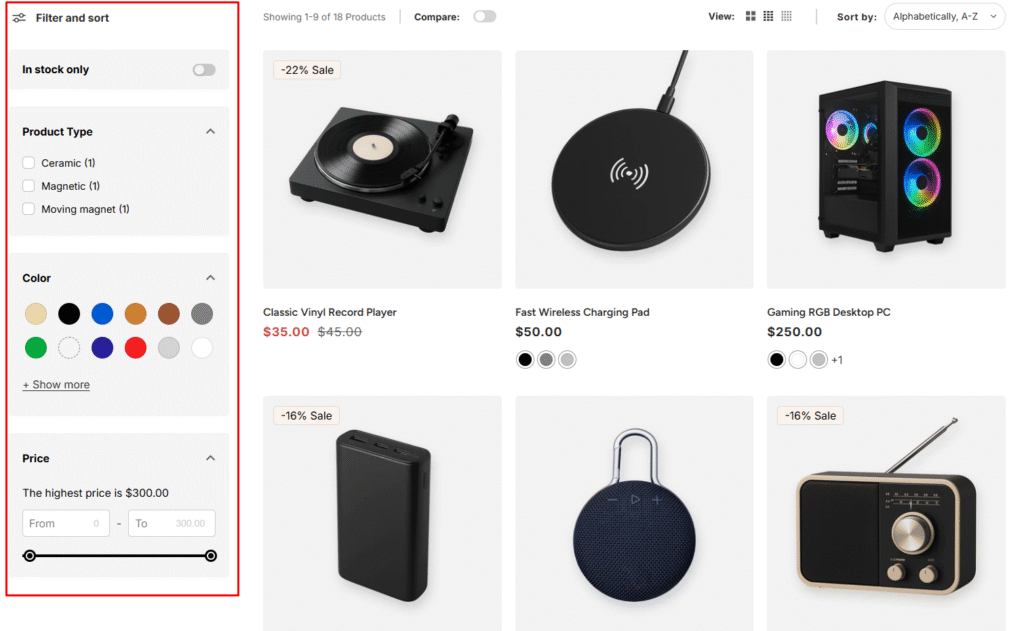
Enable product filtering on your search and collection pages to help customers find products by availability, type, color, and other attributes.
Use the Shopify Search & Discovery app to customize filters in your store. This app also allows you to:
Ensure your theme supports filtering functionality:
Note: You need an Online Store 2.0 theme to use filters. Older themes may not display filters even if created.
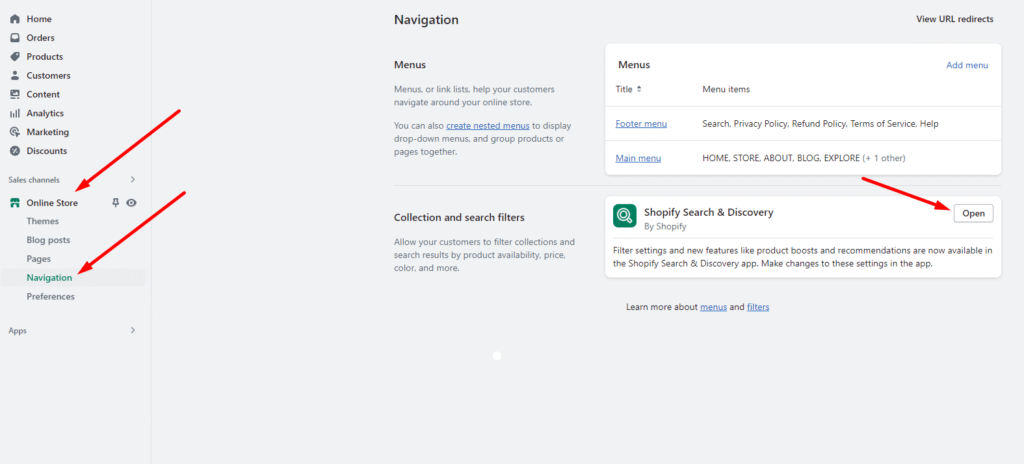
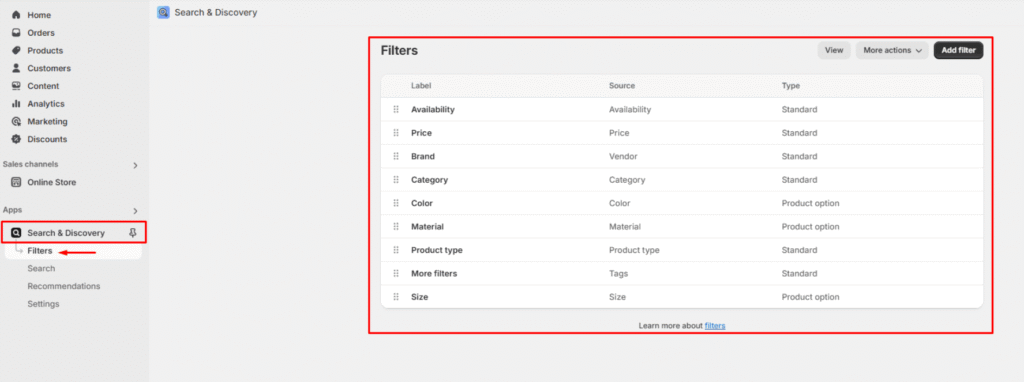
Activate filtering in your theme settings:
How It Works: When customers select filter options, the product list automatically updates to show matching products.
you can also view Shopify’s documentation here.