Address
304 North Cardinal St.
Dorchester Center, MA 02124
Work Hours
Monday to Friday: 7AM - 7PM
Weekend: 10AM - 5PM

Product short descriptions provide customers with quick, essential information about your products without overwhelming them with details. Here’s how to set them up:
To display brief product descriptions on your product pages, you’ll need to activate the description feature:
Navigate to Product Page > Description in your theme customization settings.
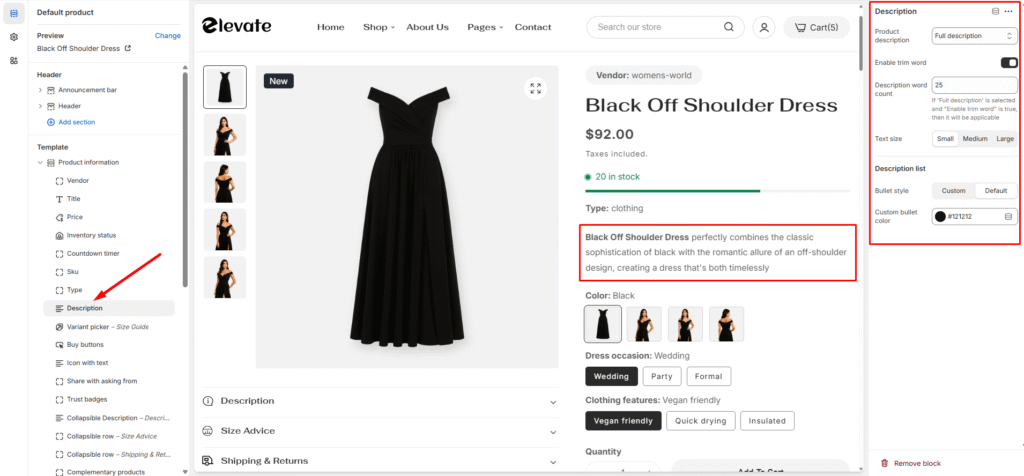
Once you’ve accessed the description settings, you can personalize several elements:
Title Customization
Visual Elements
Description Management
This feature is particularly useful for stores with detailed products that need both quick summaries for browsing and comprehensive information for purchasing decisions.