Address
304 North Cardinal St.
Dorchester Center, MA 02124
Work Hours
Monday to Friday: 7AM - 7PM
Weekend: 10AM - 5PM

Step 1: Select variant picker from the product page
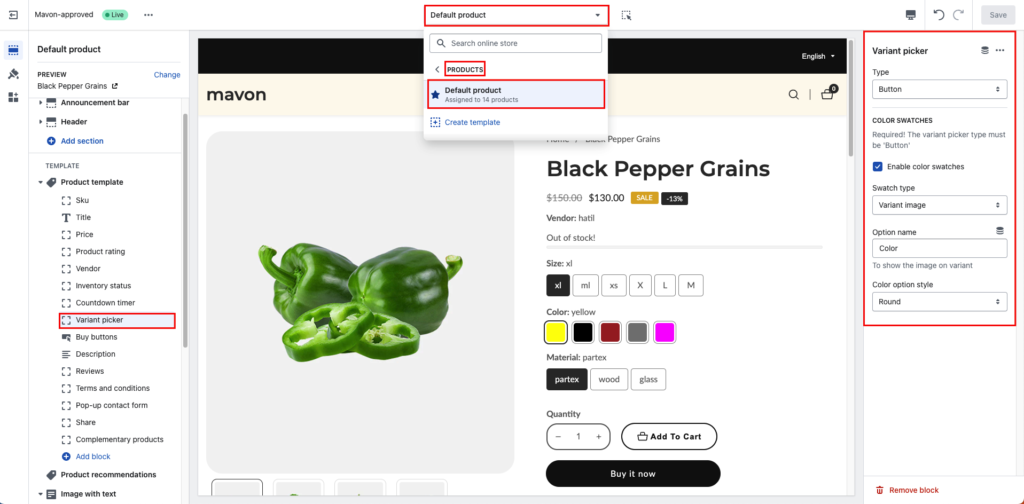
Step 2: Select variant picker type
you can choose any of them but if you want COLOR SWATCHES then The variant picker type must be ‘Button’
Dropdown:
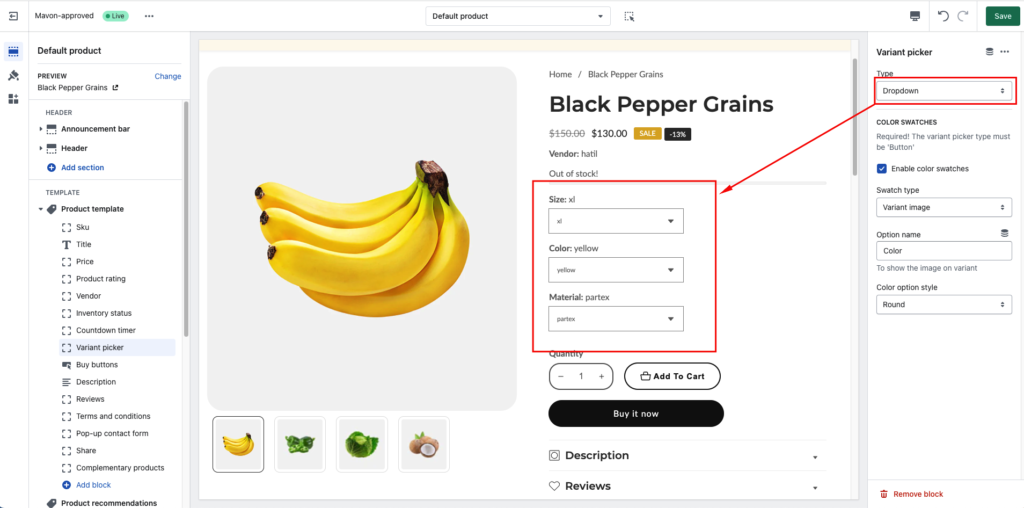
Button:

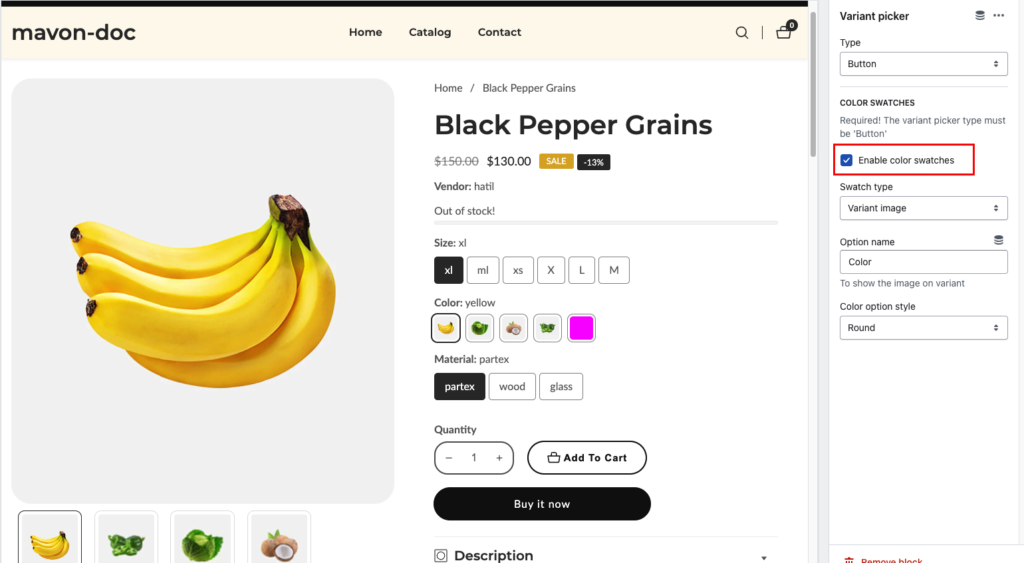
Step 3: Enable and disable color swatches
Step 4: Select Swatch type
you can choose any of them. check the below screenshot how looks like it
Variant image:
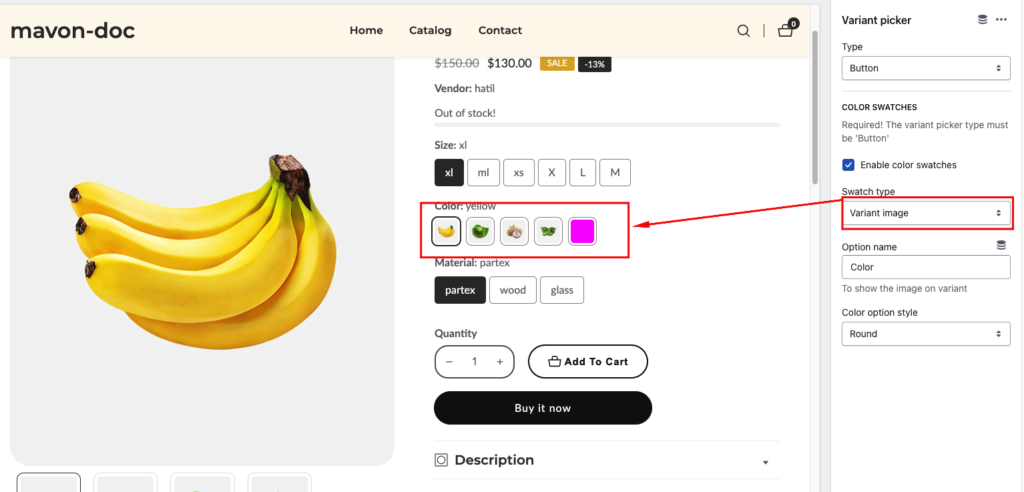
Color Swatch:

Step 5: Show the image on variant
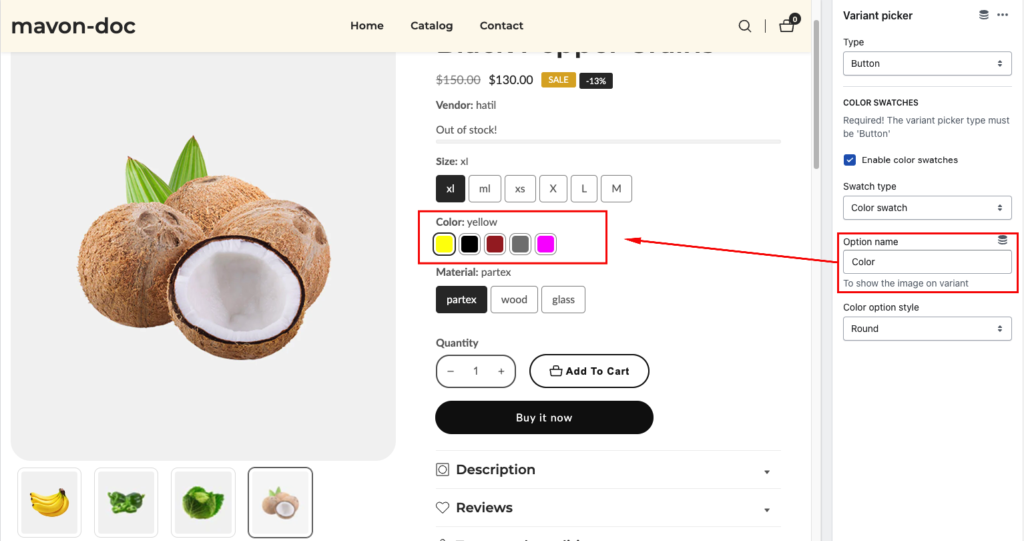
Step 6: Color option style

Color Swatches Configuration Configure custom color swatches for product variants to display visually accurate color…
Read moreIf you sell clothing items that require customers to know their size before they make…
Read moreThe Video testimonials block adds a row of round video thumbnails to your product page.…
Read morePlease follow the instructions below to enable the Product Short Description If you want to display a brief description of your product, you must enable the description block. Go to product…
Read moreTo add a custom badge to your product using a metafield, please follow these detailed…
Read more