Address
304 North Cardinal St.
Dorchester Center, MA 02124
Work Hours
Monday to Friday: 7AM - 7PM
Weekend: 10AM - 5PM

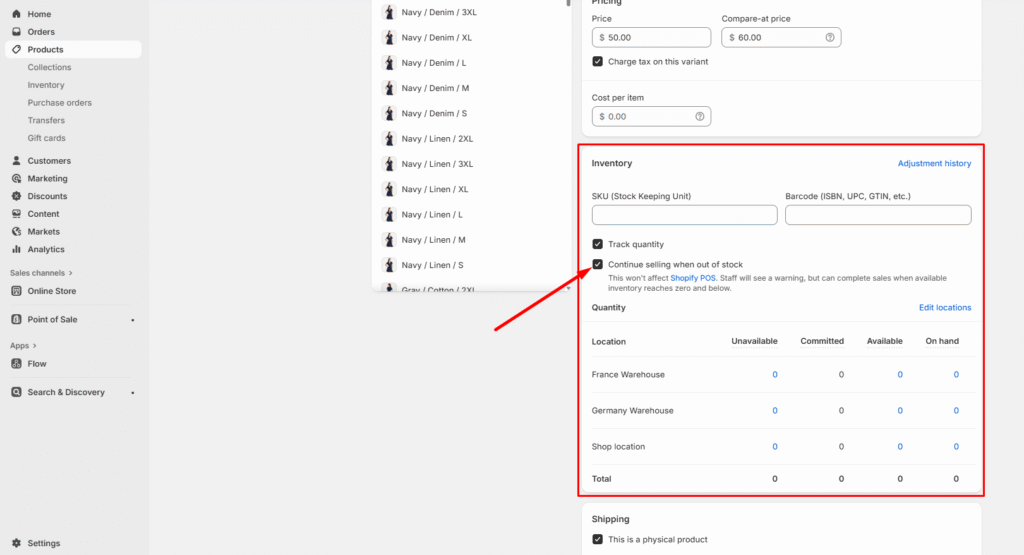
When you sell out of a quantity of an item, by default Shopify won’t allow customers to purchase that item until you adjust the inventory levels to add more stock. You can change the default to allow customers to buy out-of-stock items from the Inventory section of a product.
You might want to allow customers to buy out-of-stock items for any of the following reasons:
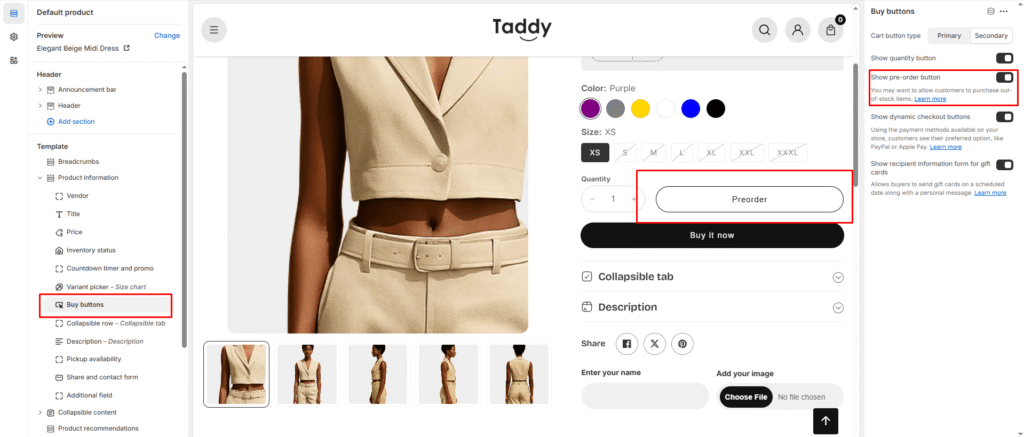
Go to product page > Buy buttons > Show pre-order button