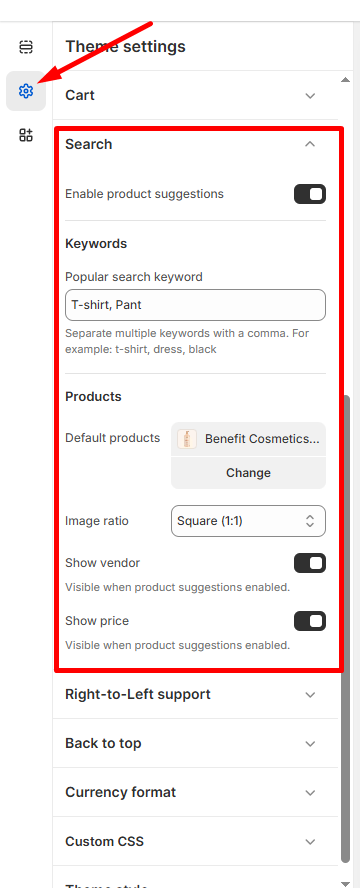
Configure search functionality and product suggestions to help customers find products easily.
How to Access
- Go to Admin → Online Store → Themes
- Click Customize on your theme
- Select Theme Settings → Search
Product Suggestions
- Enable product suggestions: Show suggested products as customers type
- Helps customers discover products faster
Popular Keywords
- Add trending terms: Enter popular search keywords separated by commas
- Example: “T-shirt, Pant, dress, black”
- Keywords appear as quick search options
Default Products
- Featured collection: Set default products to display (e.g., “Benefit Cosmetics…”)
- Change: Click to select a different collection
- Image ratio: Choose Square (1:1) or other aspect ratios
Search Results Display
- Show vendor: Display brand/vendor names in search results
- Show price: Display product prices in search suggestions
- Both options only appear when product suggestions are enabled
💡 Tip: Popular keywords help guide customers to your best-selling or featured products.
Click Save to apply search configuration across your store.