Layout Settings

Control your store’s page width and spacing for optimal display across all devices.

How to Access
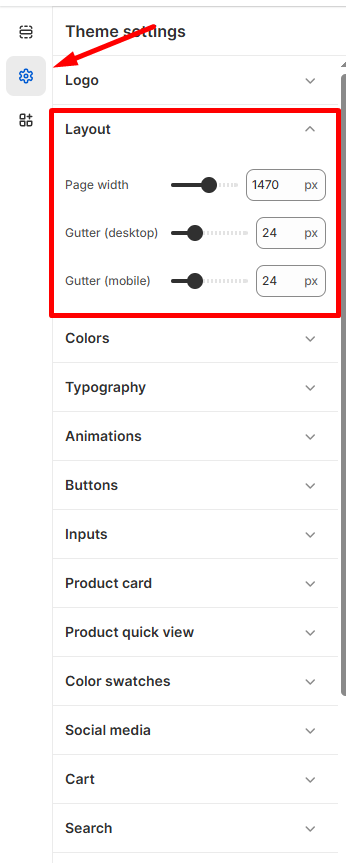
  1. Go to Admin → Online Store → Themes
  2. Click Customize on your theme
  3. Select Theme Settings → Layout
Page Width
  • Adjust site width using the slider (1000px – 1800px)
  • Default setting: 1470px
Gutter Settings
  • Desktop gutter: Spacing between content sections (default: 24px)
  • Mobile gutter: Optimized spacing for mobile devices (default: 24px)
  • Consistent gutters create clean, professional layouts

💡 Tip: Larger gutters improve readability but reduce content space.

Click Save to apply layout updates across your store.

Last updated on November 23, 2025

Was this article helpful?

PREVIOUS

Logo

NEXT

Currency format

Powered by Support Genix
