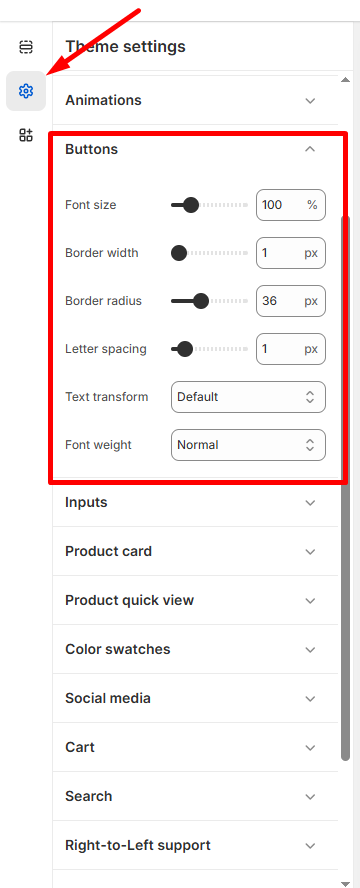
Customize button appearance to match your brand style and improve user experience.
How to Access
- Go to Admin → Online Store → Themes
- Click Customize on your theme
- Select Theme Settings → Buttons
Button Styling Options
Size & Spacing
- Font size: Adjust button text size using slider (default: 100%)
- Letter spacing: Control character spacing (default: 1px)
Border Controls
- Border width: Set button outline thickness (default: 1px)
- Border radius: Create rounded corners (default: 36px)
Text Formatting
- Text transform: Choose from Default, Uppercase, Lowercase, or Capitalize
- Font weight: Select Normal, Bold, or other weight options
💡 Tip: Higher border radius values create more rounded buttons, while 0px creates sharp corners.
Click Save to apply button styling across your store.