Address
304 North Cardinal St.
Dorchester Center, MA 02124
Work Hours
Monday to Friday: 7AM - 7PM
Weekend: 10AM - 5PM

You can create custom pages in your Shopify admin to create content for your customers.
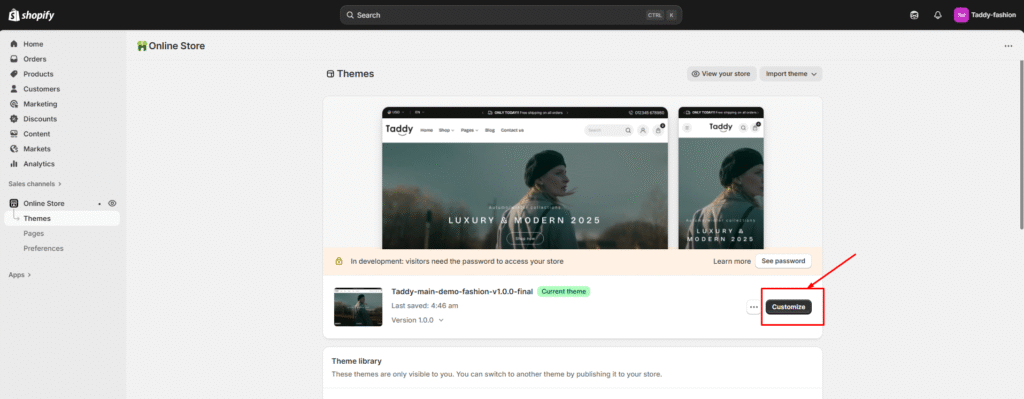
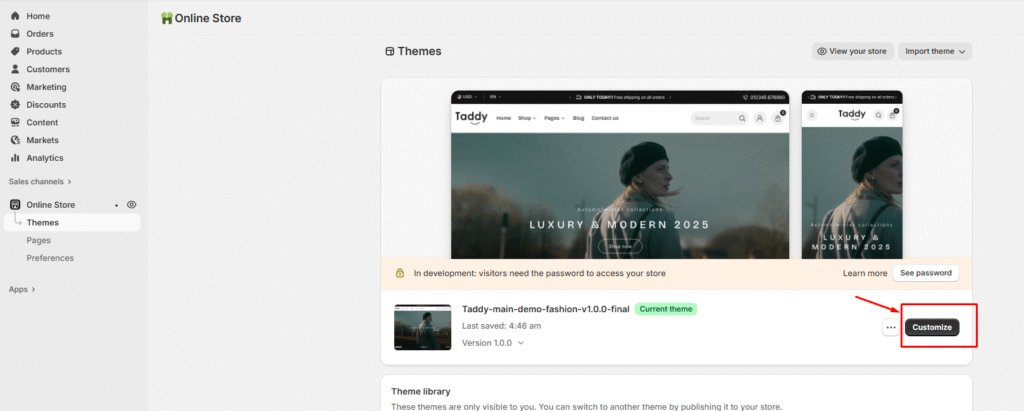
1. Go to the customizer Themes > Customizer
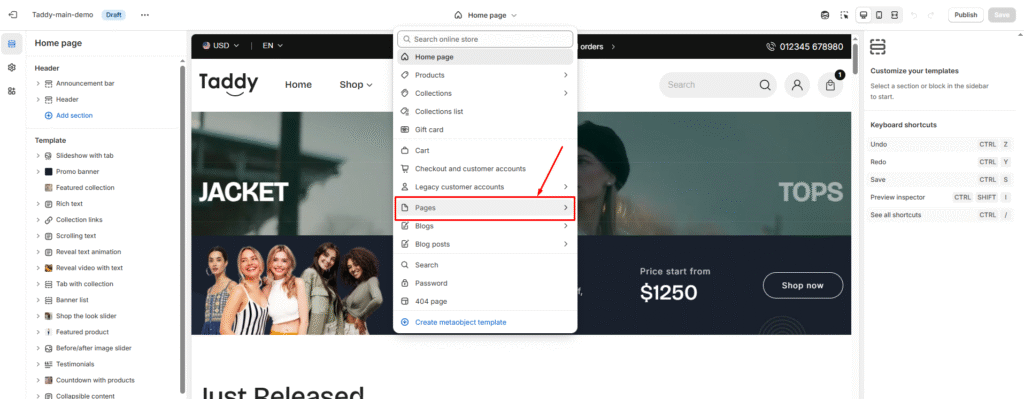
2. Select the page
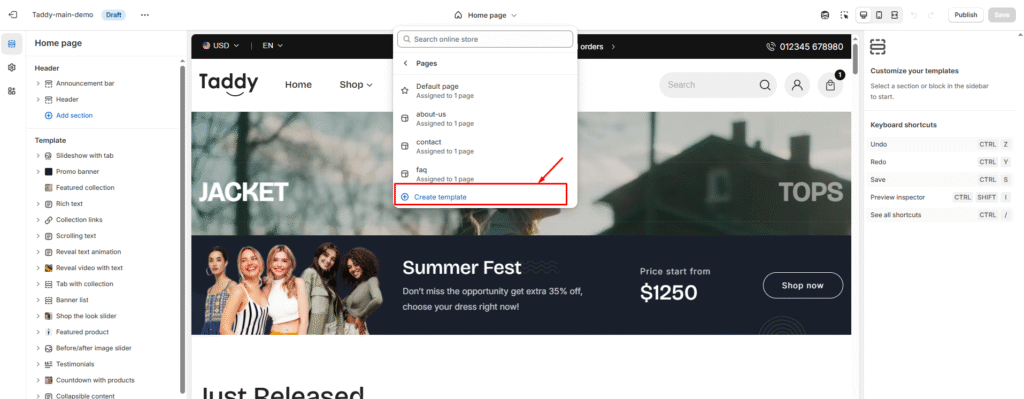
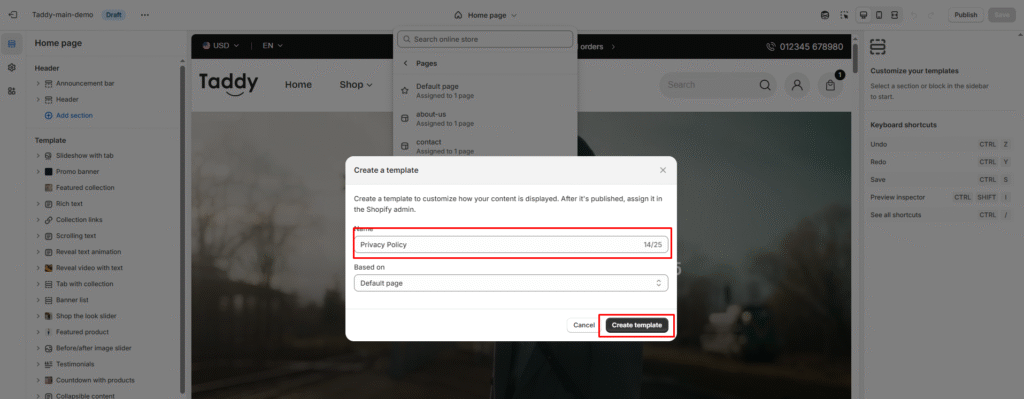
3. Create a page template
4. Add the custom page name
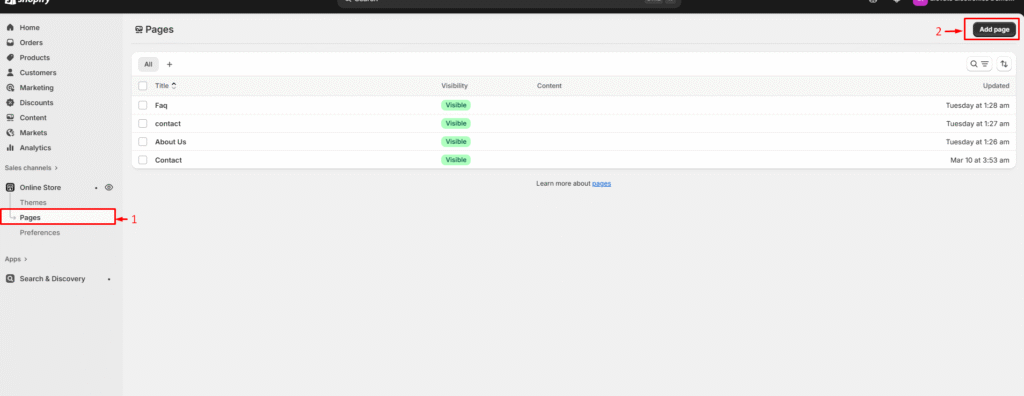
5. After that, go to the admin > Page
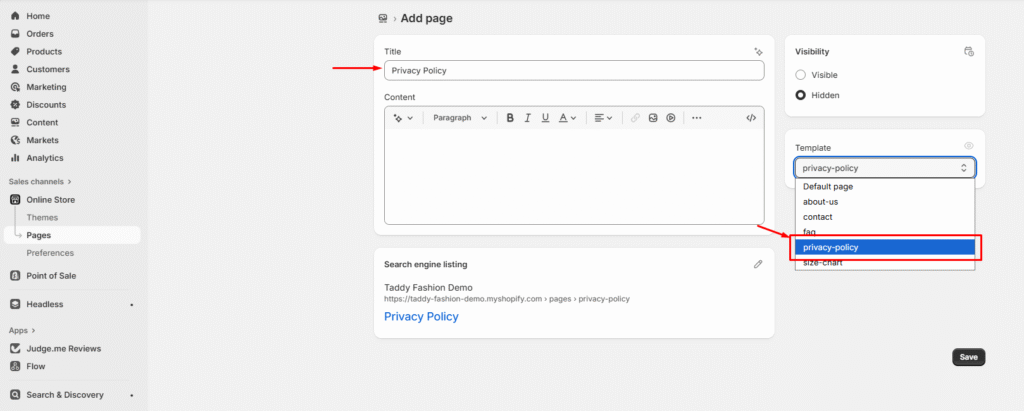
6. Then select the custom page template, that you have created,
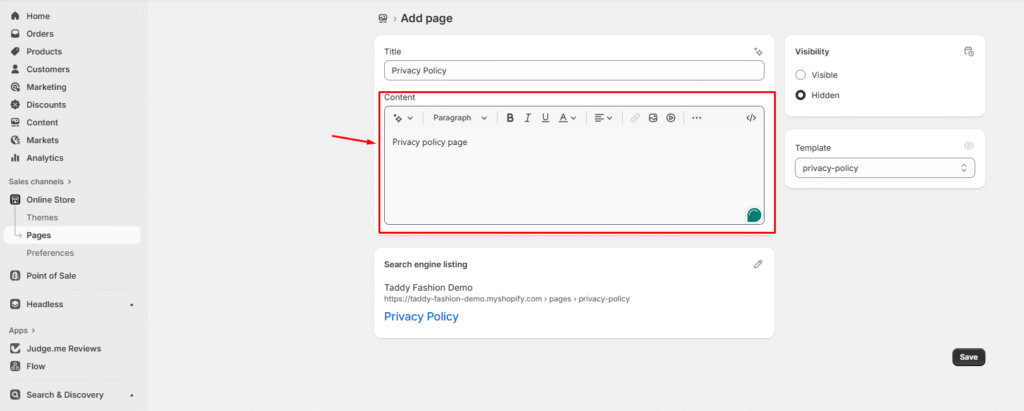
7. Then you can add content from the page editor
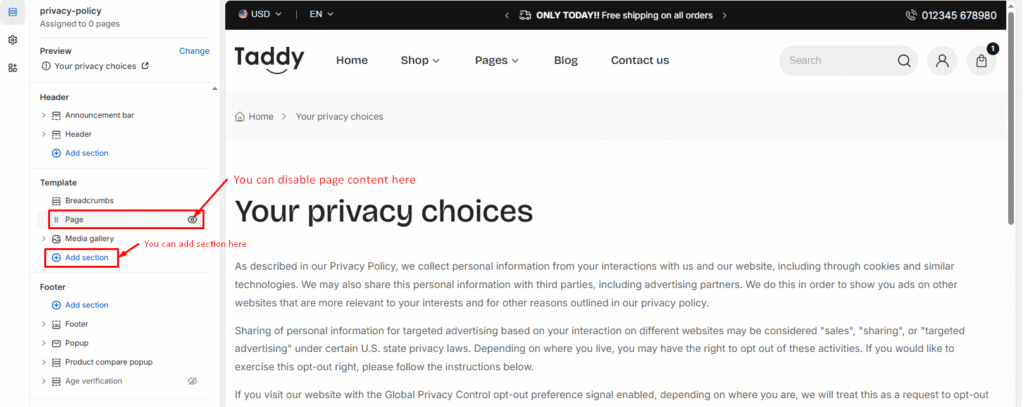
Also, you can add mavon default section to this page from Customizer.
8. Again go to the customizer
9. Go to the page, that you have created
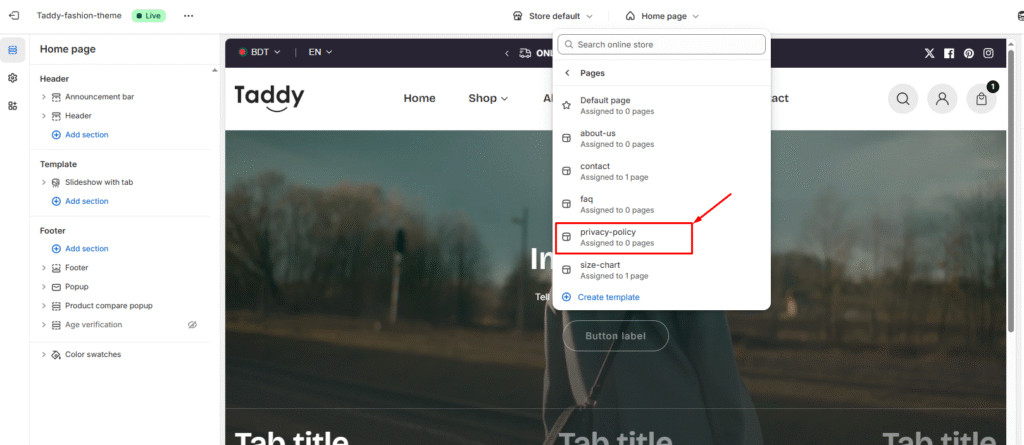
10. After that, you will able to customize the page in your way