How to create a blog

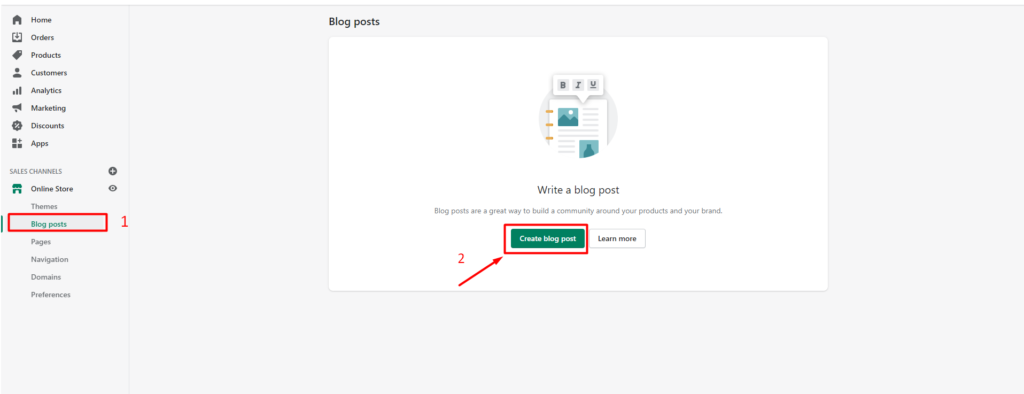
  1. From your Shopify admin, go to Online Store > Blog Posts.
  2. Click Create blog post.
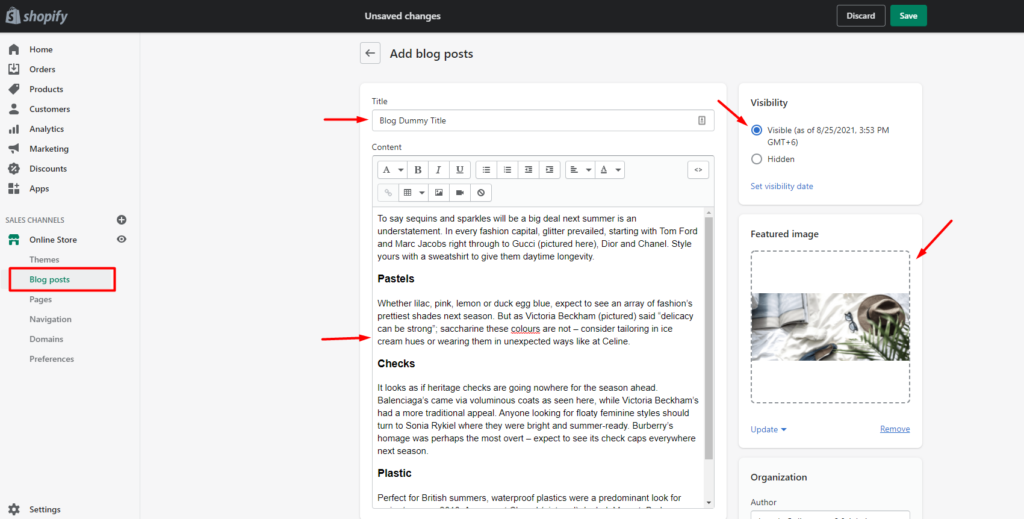
  3. In the Title field, enter a title for your blog post.
  4. In the Content field, enter content for your blog post.
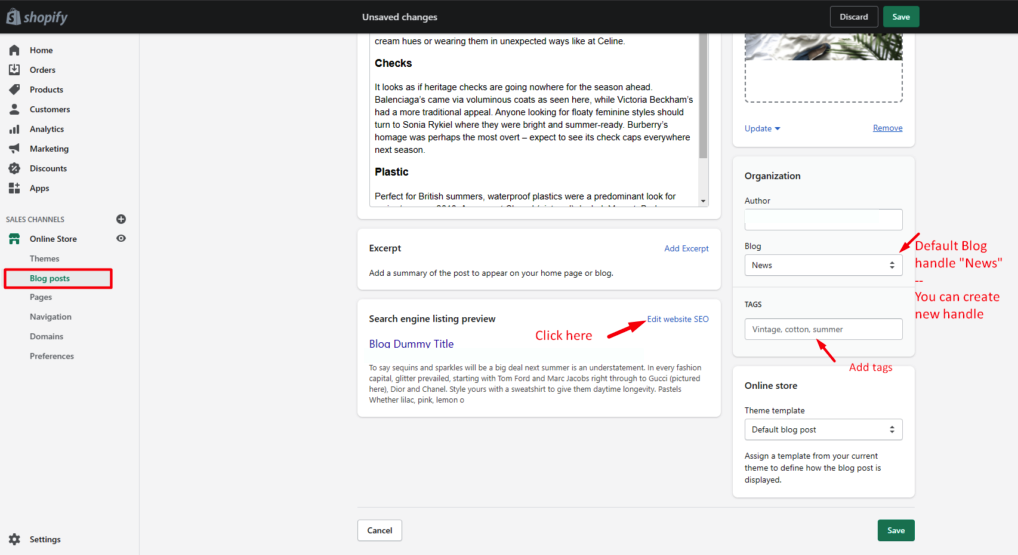
  5. In the Organization section, from the Blog drop-down menu, select Create a new blog.
  6. In the Blog title field, enter a title for the blog.
  7. Click Save.

Step 1: Create a Blog

Step 2: Add Blog Content

Step 3: Edit SEO title, Tags, Handle

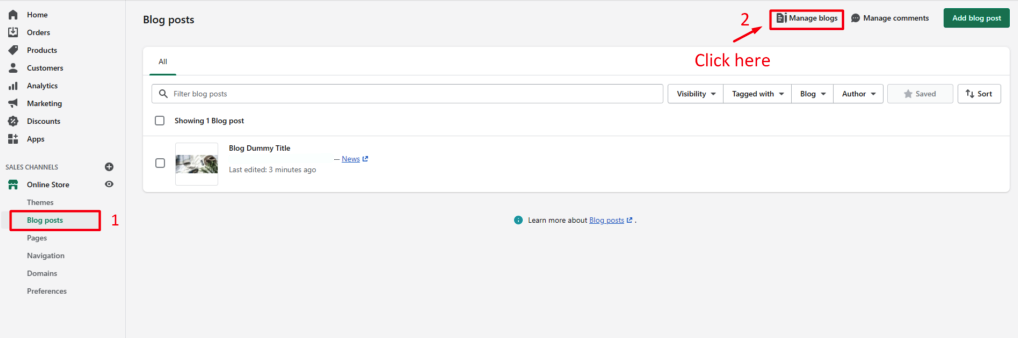
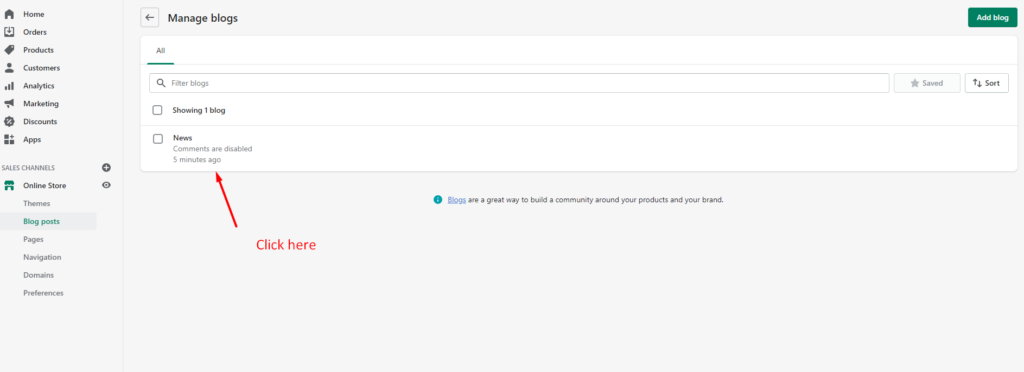
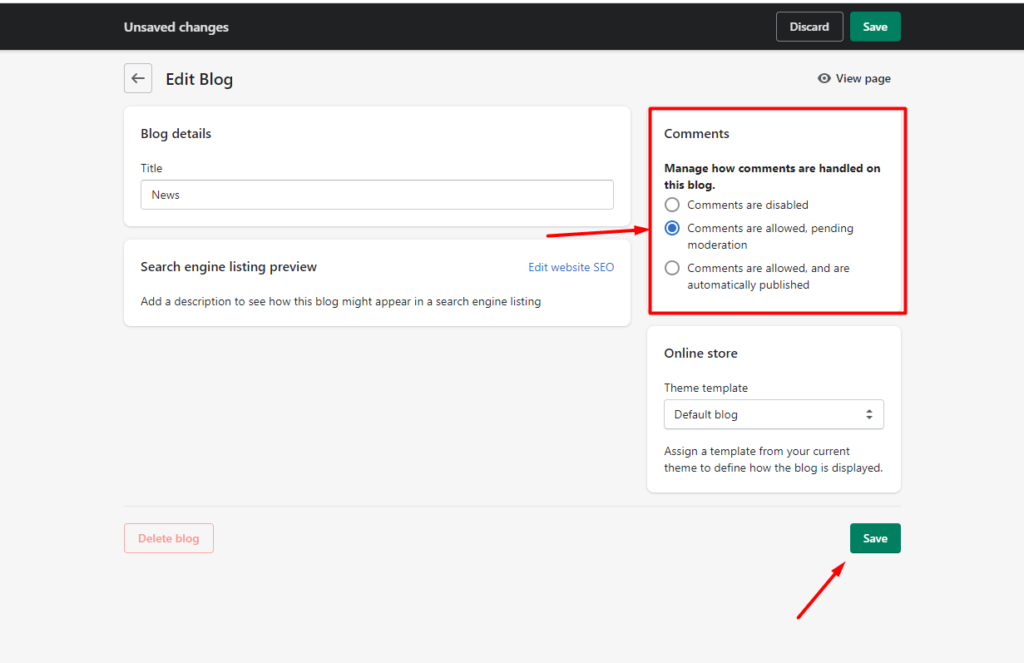
Step 4: Manage Blogs Comment

Manage Blogs

Go to the Blogs Handler

Enable Blog Comment

Last updated on November 23, 2025

Was this article helpful?

NEXT

How to blog customizer works

Powered by Support Genix