Address
304 North Cardinal St.
Dorchester Center, MA 02124
Work Hours
Monday to Friday: 7AM - 7PM
Weekend: 10AM - 5PM

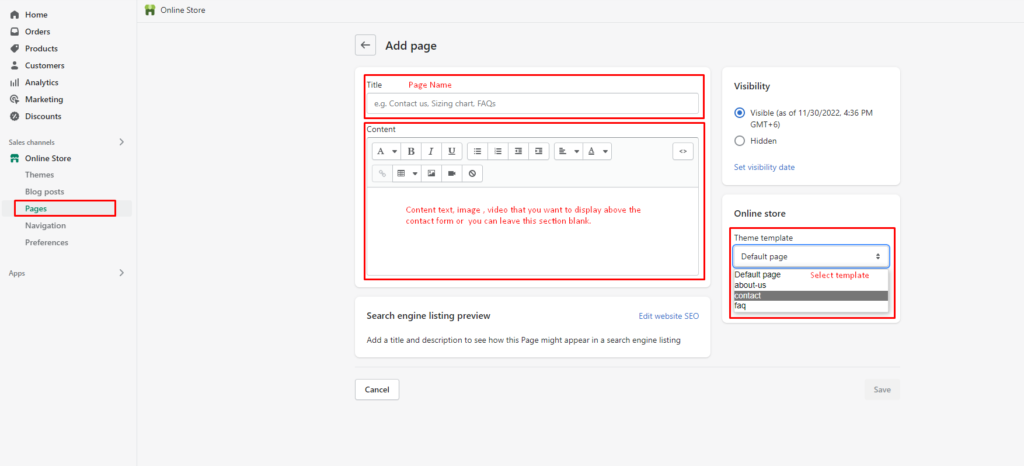
A contact page provides shoppers with an easy way to reach you. Using the page.contact template, Shopify automatically includes a contact form, and you can add extra details—like business hours, response times, or brand info—above the form with the rich text editor.
After creating the page, add it to your store’s navigation menu so customers can easily find it.
After creating your contact page, add it to your store navigation:
Your contact page is now live and accessible to customers through your store navigation.