Address
304 North Cardinal St.
Dorchester Center, MA 02124
Work Hours
Monday to Friday: 7AM - 7PM
Weekend: 10AM - 5PM

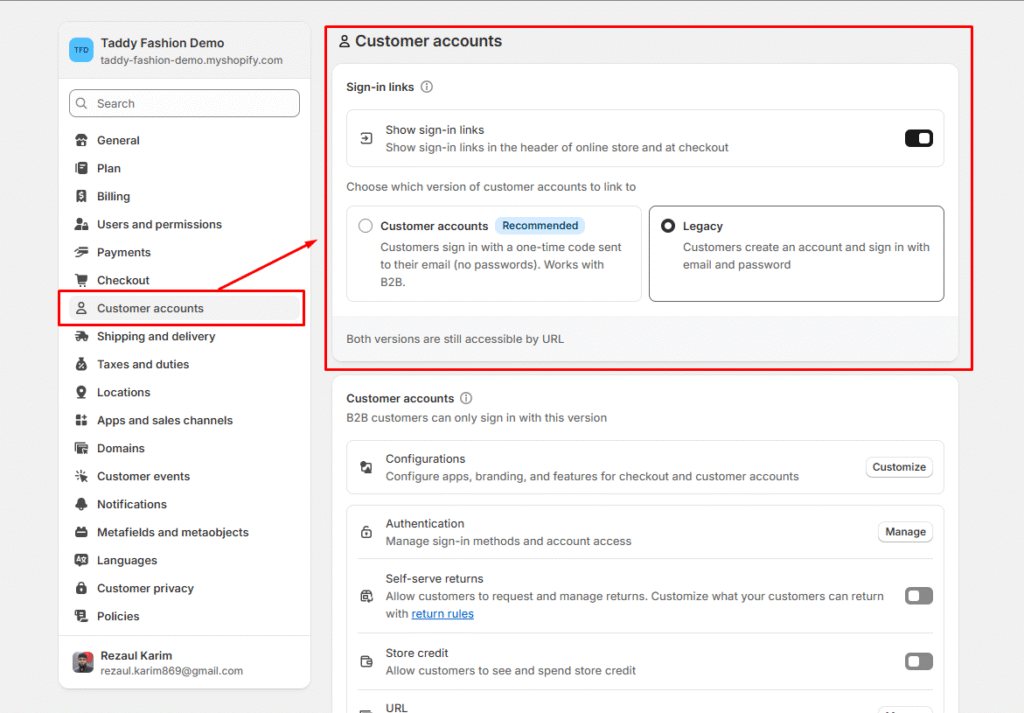
Customer accounts let shoppers easily sign in and manage their order history, profile details, and saved addresses. When a customer logs in, their stored information is automatically filled in at checkout, making the purchase process faster and more seamless.
To set up customer accounts, go to Settings > Checkout and accounts in your Shopify admin.
Shopify provides two types of customer account systems:
Both versions store the same customer details and offer identical account management tools. The key difference is the sign-in method: the new version enhances security and convenience with email-based verification codes instead of passwords.